Learn DOT in a few minutes.
DOT connects customers with verified businesses, and lets a whole team answer them from one shared, end-to-end encrypted inbox. Pick where you fit to see how it works for you.
From sign-up to your first customer.
Six steps to a verified business that customers can find and your whole team can answer.
Create your business profile
Add your logo and description, a main category plus up to four more, your map location, branches and opening hours.
Get verified
Upload your trade licence and a person reviews it. Once approved, you get the green owner badge and appear in the directory. Owners must turn on two-step verification.
Invite your team
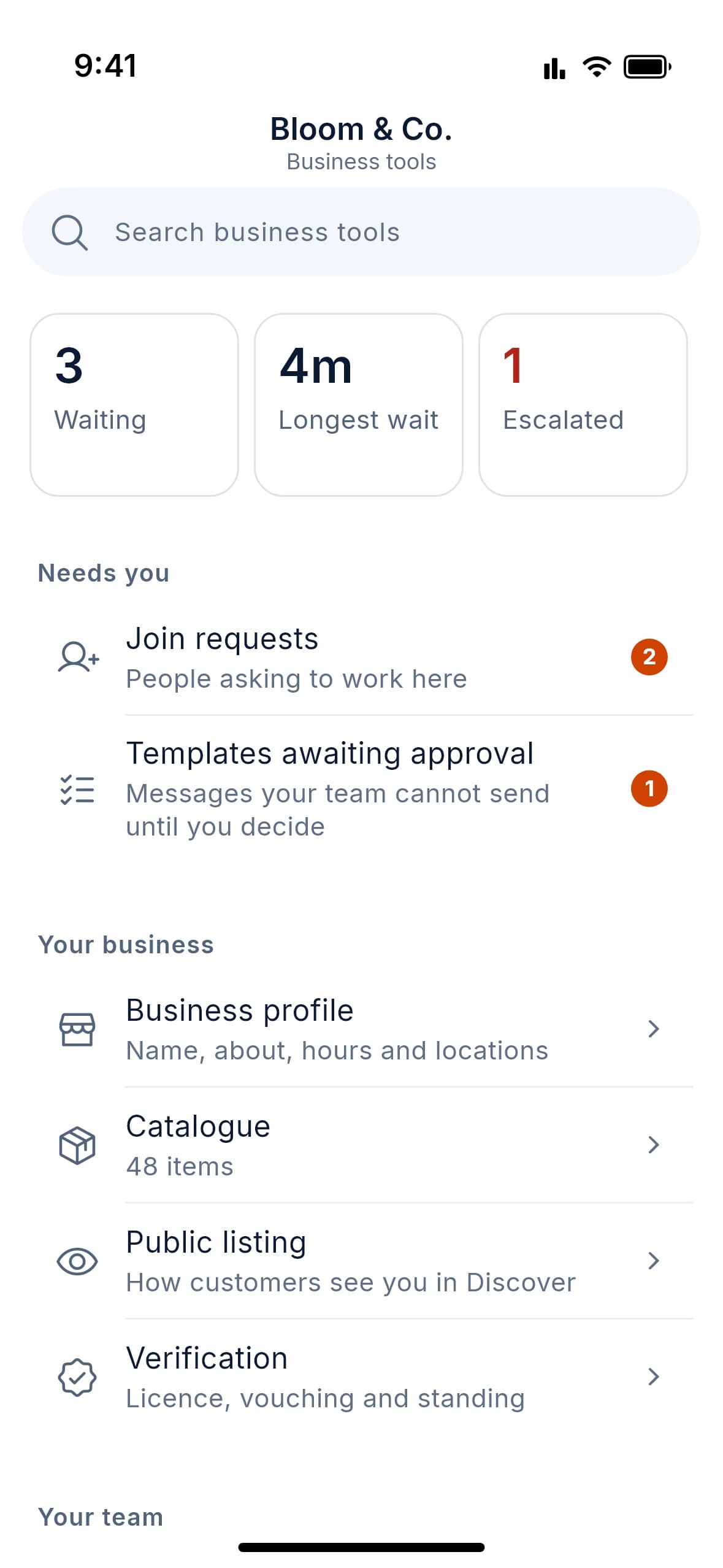
Share an invite link or approve join requests. Each person gets their own login, the blue employee badge and the permissions you choose.
Decide who answers what
Set up departments and routing rules, working hours and workload caps. Add greetings and away messages so no customer waits in silence.
Get found
Share your @username link, print your QR code for the shop window and add your product catalogue. Your public web profile has a “Message us” button.
Measure and grow
Track first response and resolution times, set SLA targets and read service ratings. Reach opted-in customers with broadcasts and your channel.
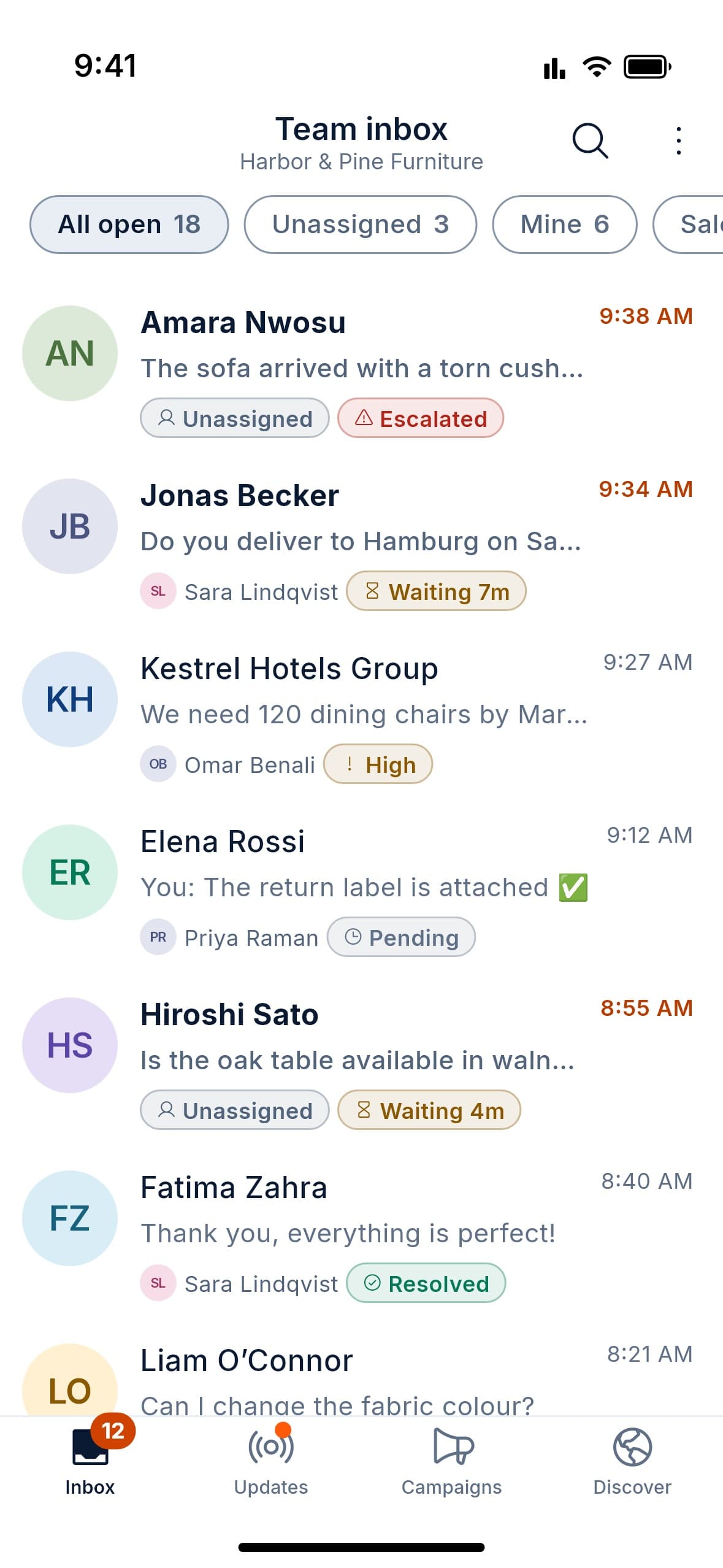
Your day in the team inbox.
Everything you need to answer customers alongside your colleagues, from one shared inbox.
Join your business
Open the invite link from your manager, or send a join request. One login, many roles: your personal chats stay fully separate from work.
Set your availability
Add your working hours and time off. Your status tells the team whether you are available, busy or on a break.
Pick up conversations
Work from the Unassigned, Assigned to me and All views. Claim a chat to make it yours, or release it back. Routing may assign some to you automatically.
Never reply twice
See when a colleague is viewing or typing in a chat. Use personal and shared saved replies to answer common questions in seconds.
Talk to your team privately
Leave internal notes and @mention a colleague inside any chat. Customers never see them. Use team messaging for everything else.
Close the loop
Label the chat, then close it. The customer can rate the service out of five, and you can reopen the chat any time.
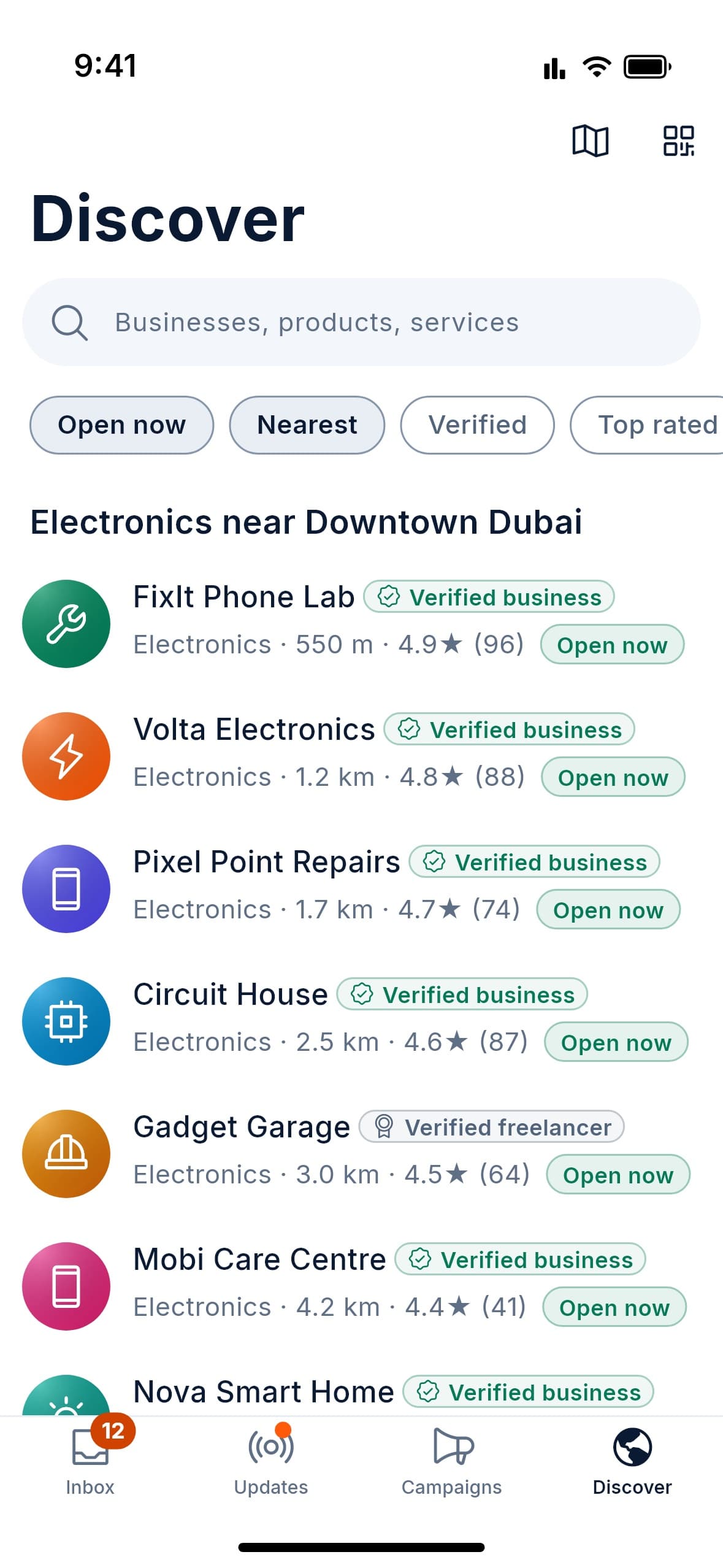
Find a business. Start a chat.
DOT is free for customers. Find businesses near you, check they are real, and talk to them privately.
Find a business
Search by name, category or keyword, or look near you on the map. Filter by open now or verified only. You can also scan a business’s QR code or open its link.
Check who you’re talking to
A green badge means a business whose licence a person has reviewed. Blue marks its approved employees, and grey marks freelancers vouched for by verified businesses.
Start a chat
Tap Message, or ask about an item in the catalogue. Send photos, documents, voice notes and your location, or switch to a voice or video call.
Know who replies
Every reply shows which team member wrote it. If staff change, your full history stays with the business, so you never start again.
Stay private
Your messages are end-to-end encrypted, and the business’s staff are at the other end of the chat. In a personal chat, compare security codes to check no one is in the middle.
Hear only what you want
Businesses can only send you broadcasts after you opt in, and you can opt out at any time. Follow channels for news; admins never see who follows.
Follow one message through DOT.
Lina wants a pair of earbuds. Here is what happens between her first message and a happy customer, for her and for the team at Volta Electronics.
- Customer
Lina finds Volta Electronics
She searches for electronics near her, sees the green verified badge and taps Message.
- DOT
Routing sends it to the right people
Routing rules send the chat to the Sales department. A greeting replies straight away, so Lina knows she has been heard.
- Team
Sara claims it
The chat waits in Unassigned until Sara claims it. Omar sees “Sara is typing” and moves on, so nobody answers twice.
- Team
A quick word, out of sight
Sara leaves an internal note asking @Omar to check stock. Lina never sees the note.
- Team
The reply, signed by Sara
Sara sends the price from the catalogue with a saved reply. Lina sees exactly who on the team answered.
- Customer
Closed, rated and counted
Sara labels the chat Paid and closes it. Lina rates the service, and the response time appears on the team’s dashboard.
And if Sara leaves next month? Her access ends on every device within a minute, and this chat goes back to the team with its full history. Lina never has to start again. Sara can’t read anything sent after she leaves, but keeps what she had already read.
The short answers.
A few things people ask about first.
What the badges mean
Green: a business owner whose trade licence a person has reviewed. Blue: an employee the owner approved. Grey: a freelancer vouched for by verified businesses.
Who owns a conversation
The business does. Each message shows who wrote it, and when someone leaves, their chats return to the team in under a minute with the full history. They keep what they had already read, but nothing sent after they left.
What is encrypted
Messages are end-to-end encrypted: sealed on your device and unreadable by our servers. Channel updates, Status posts, group calls, group join forms and a business’s internal notes and team chats are not. The encryption page lists all of it.
What it costs
DOT is free while we launch, with every feature included, and always free for customers. If anything becomes paid, we will tell you well in advance.
More questions? Read the FAQ
Business chat, built for your whole team.
Leave your email and we’ll tell you the day DOT launches. Free for you, free for your customers.