Skip to content
Dot

Coming soonFree on Android, iOS & web

Business chat, built for your whole team.

DOT gives your business a verified profile customers can find, and a shared, end-to-end encrypted inbox your whole team works from. Every conversation belongs to your business, even when staff change.
One email at launch. No spam.

Coming soonApp StoreComing soonGoogle Play
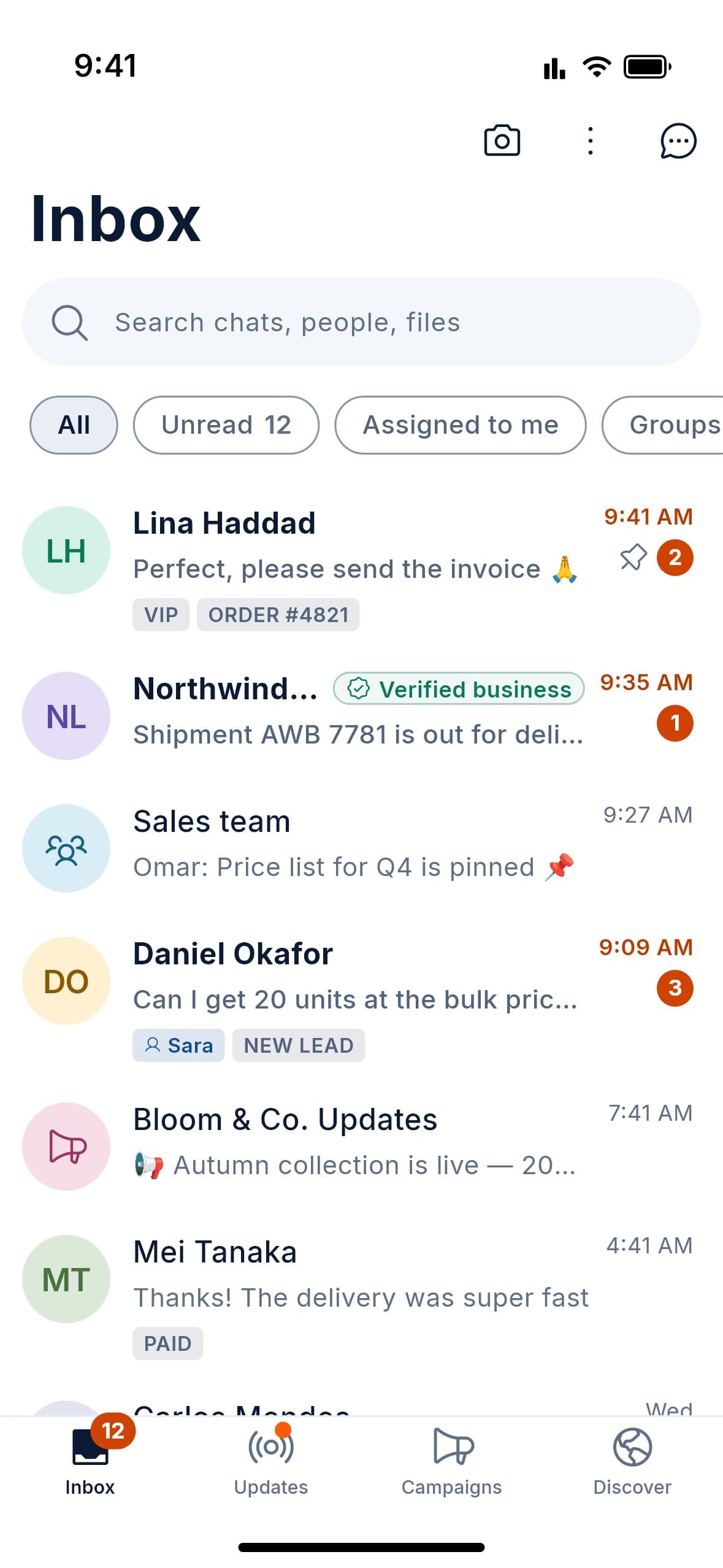
The DOT inbox: chats from customers, verified businesses, team groups and channels, with unread counts, labels such as VIP and New lead, and a chat assigned to Sara.

DOT at a glance

  • End-to-end encrypted
  • Verified businesses
  • Free to start
  • Android, iOS & web
Why DOT

Customer chat is still run from personal phones.

DOT gives your business its own chat. It belongs to the business, not to whoever holds the phone, so customers get answers and nothing walks out the door.

  1. The problem

    Staff answer customers from personal phones.

    With DOT

    Customers chat with your business. Every reply shows who on your team wrote it.

  2. The problem

    When someone leaves, the customer history leaves too.

    With DOT

    Remove a team member and their chats return to the team in under a minute. Nothing is lost.

  3. The problem

    Messages get missed, or answered twice.

    With DOT

    A shared queue, clear assignment and live “colleague is typing” warnings.

For teams

A real team inbox in your pocket.

Your whole team, one inbox, zero confusion. Claim chats, leave notes only your team sees, and know how fast you answer, and how well.

01 · Team Inbox & Staff Operations

Every chat lands in one queue. Nothing slips through.

  • Shared inbox with Unassigned, Assigned to me and All views
  • Claim and release; manual and automatic assignment
  • Live “colleague is viewing / typing” indicators
  • Bulk select and bulk assign; close and reopen
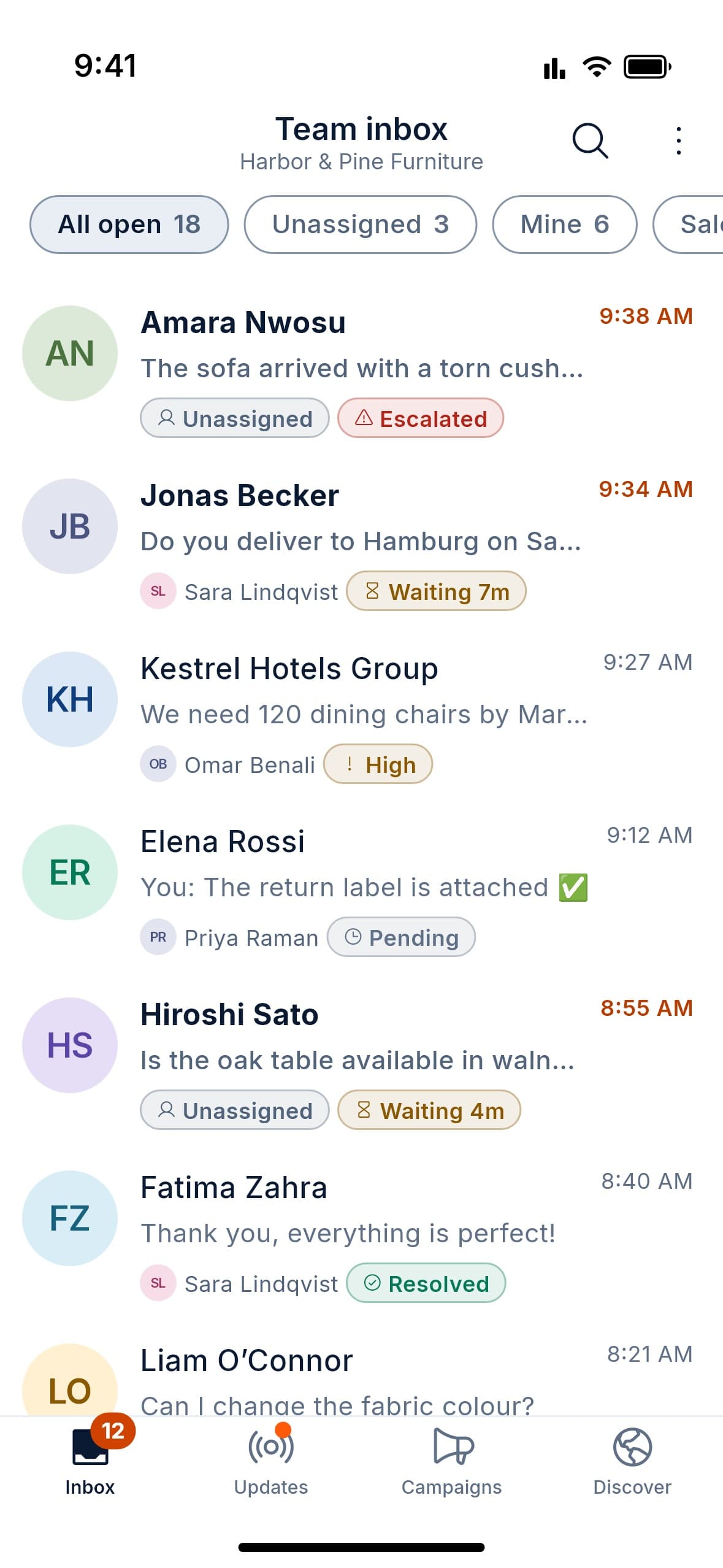
DOT team inbox for Harbor & Pine Furniture: All open, Unassigned and Mine views, with each chat showing the teammate it is assigned to and a status such as Escalated, Waiting 7m, High, Pending or Resolved.
  • 1 inboxFor the whole team, on phone or web
  • LiveSee who is viewing or typing in a chat
  • Per personFirst response and resolution times
  • Out of fiveOptional after-chat service rating
Ownership & Continuity

Staff leave. Customers stay.

Customers chat with your business, not an employee’s personal number. Each reply shows who wrote it. Remove someone, and their chats return to the team within a minute.

Your business owns every conversation

Staff change. Your customer history doesn’t.

  • One-step offboarding: access cut, chats back in the queue
  • Owner archive of all conversations, with access audit log
  • Export one conversation or the whole archive
  • Ownership transfer, retention policy and legal hold

When someone leaves, in four steps

Nothing to chase. Nothing lost.

  1. Step 1: Remove Omar from the team

    Omar is moving on. Open your team list and remove him in one step.

  2. Step 2: Access ends on every device

    Signed out on all his devices in under a minute. He can’t read anything sent after this, but keeps what he had already read.

  3. Step 3: His chats come back to the team

    All 4 of Omar’s open chats return to Unassigned, ready to pick up.

  4. Step 4: The conversation carries on

    Full history intact. The next reply is signed by Lina.

Verification & Team Roles

Verified means verified.

A person reviews every trade licence. Owners approve their own employees. Freelancers are vouched for by the businesses they work with. And badges lapse automatically, so they stay true.

  • Invite employees by link or approve join requests
  • Per-employee permissions, role changes, suspension, removal
  • One login, many roles, with full separation between them

Three badges, three meanings

Verification
  • OwnerBusiness owners

    Trade licence reviewed by a person

  • EmployeeYour team

    Approved by the business owner

  • FreelancerIndependent pros

    Vouched for by businesses

Licence expiry tracking with advance warnings

You’re reminded before your trade licence runs out. If it lapses, the badge lapses with it.

Get discovered

Customers can actually find you.

Give your business a verified profile with your hours, branches and products. Customers find you by name, category or on the map, then message you in one tap.
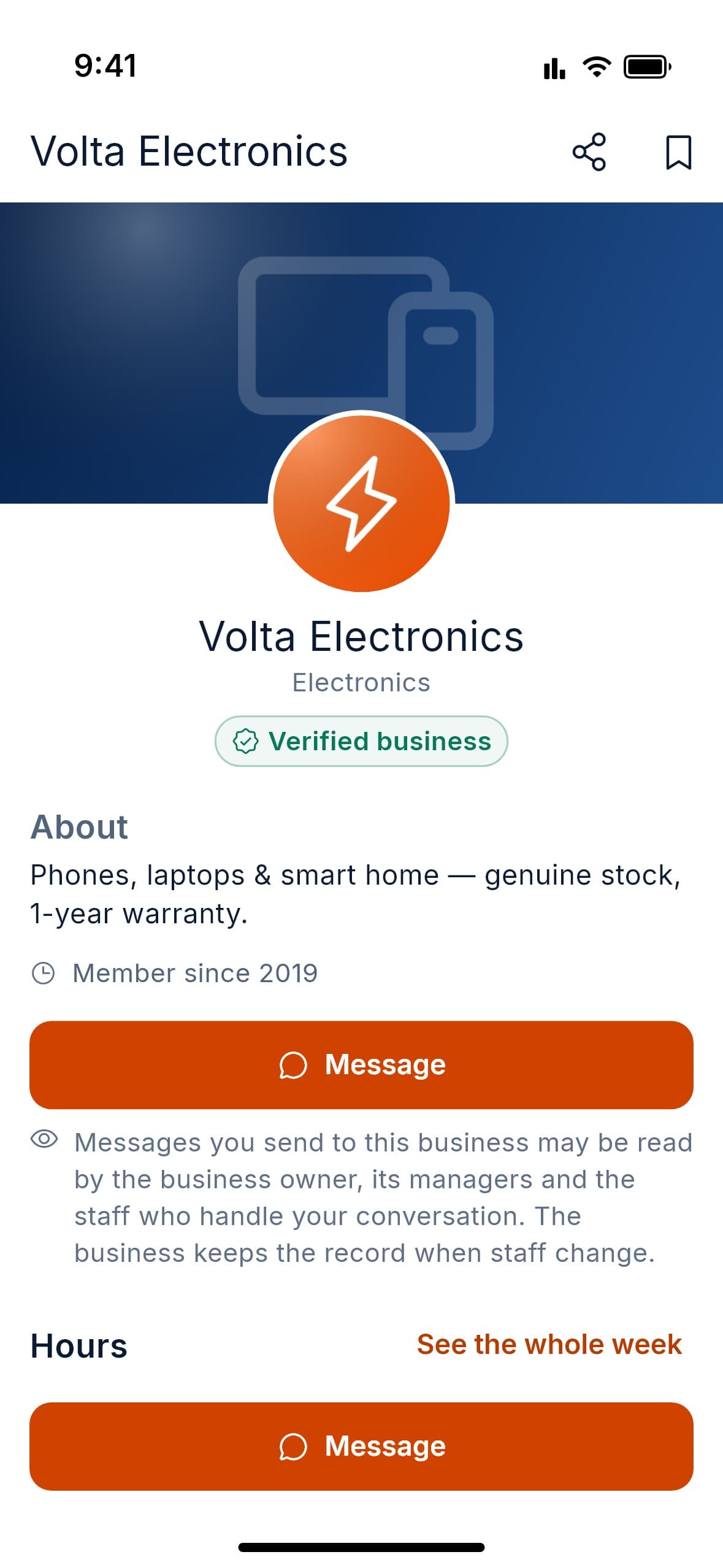
DOT business profile for Volta Electronics: verified business badge, about, member since 2019, a Message button and a note on who at the business can read your messages.

Public web profile too. Search-indexable, with a “Message us” button.

05

Business Profile & Presence

A storefront customers can find, share and trust.

  • Logo, description, main category plus up to four more
  • Map location, multiple branches, hours, holidays, timezones
  • Product catalogue with photos, prices and sale prices
  • Public web profile with a “Message us” button, search-indexable
  • Unique @username link and printable QR code
06

Discovery & Directory

Get found by customers looking right now.

  • Search by name, category or keyword, tolerant of typos
  • Near-me search, map view, distance sort, open-now filter
  • Category browsing and a verified-only filter
  • Verified-customer reviews only
  • Free, clearly labelled promotion slots
Grow & automate

Marketing that respects consent.

Keep every customer organised, reply instantly, and reach people with broadcasts and channels. Every broadcast is gated on your customers’ opt-in, and DOT enforces it.

No consent, no send.Opt-in and opt-out are built in, not a policy page.

07Customer organisation

Keep every customer in the right place.

  • Coloured labels and custom lists, several per chat
  • Built-in new and returning customer lists
  • Order-stage lists you manage by hand
  • Filters: unread, mine, unassigned, groups, favourites

08Automation & marketing

Reply instantly, reach everyone, stay compliant.

  • Broadcasts with merge fields, an image and quick-reply buttons
  • Drafts, scheduled sending and delivery reports
  • Built-in opt-in and opt-out; no consent, no send
  • Away replies pause automatically when staff are online

09Channels & Status

Publish to followers. Share what’s new.

  • One-way channels: text, images, audio, links and polls
  • Views, reach, growth, reactions and poll analytics
  • Follower privacy: admins never see who follows or views
  • Status posts that disappear after 6 to 48 hours
Inside the app

Take a look around DOT.

Real screens from the app. Chat, call, shop, grow and stay private, all in one place.
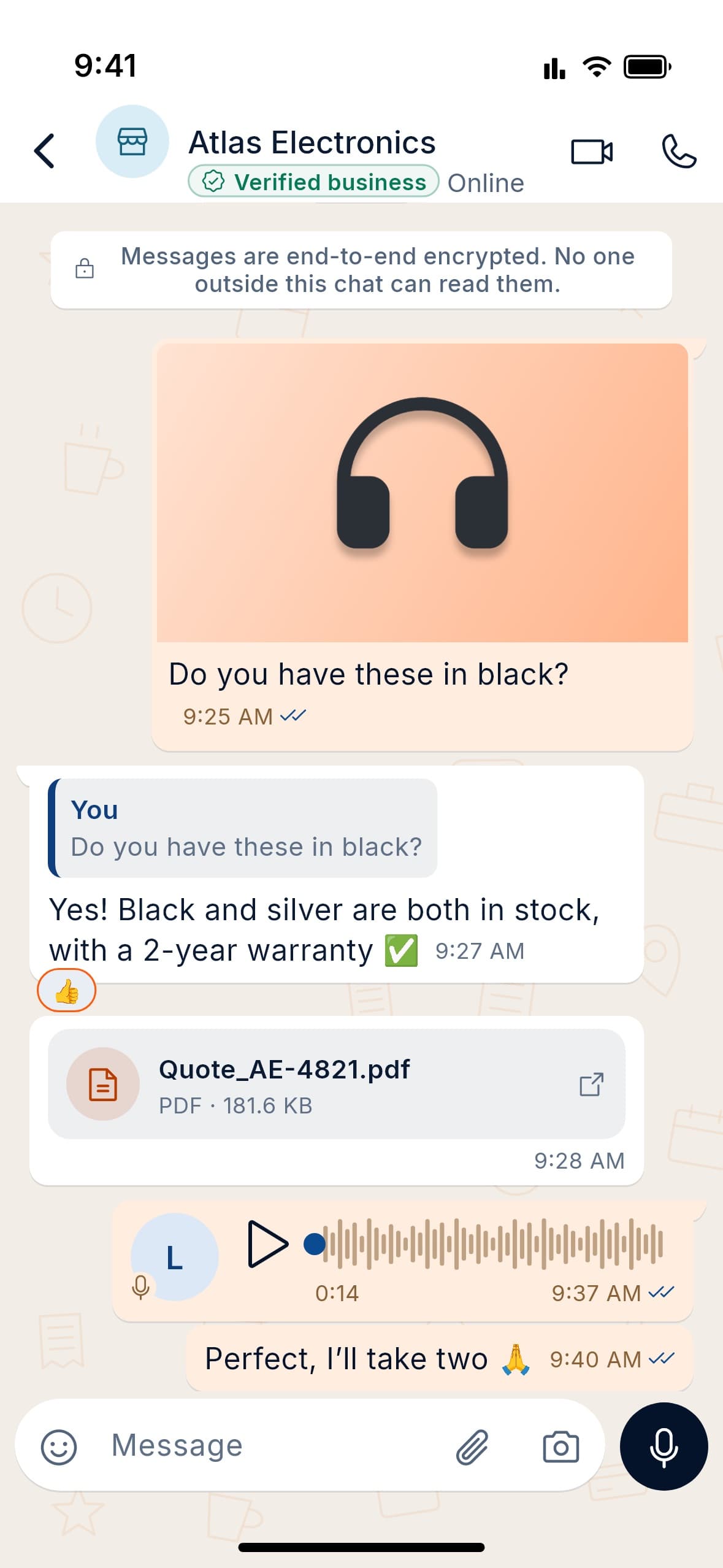
  • A chat with Atlas Electronics: a product photo, a quoted reply, a thumbs-up reaction, a PDF quote and a voice note.

    Photos, files and voice notes

    Reply to a message, react, send a quote as a PDF.
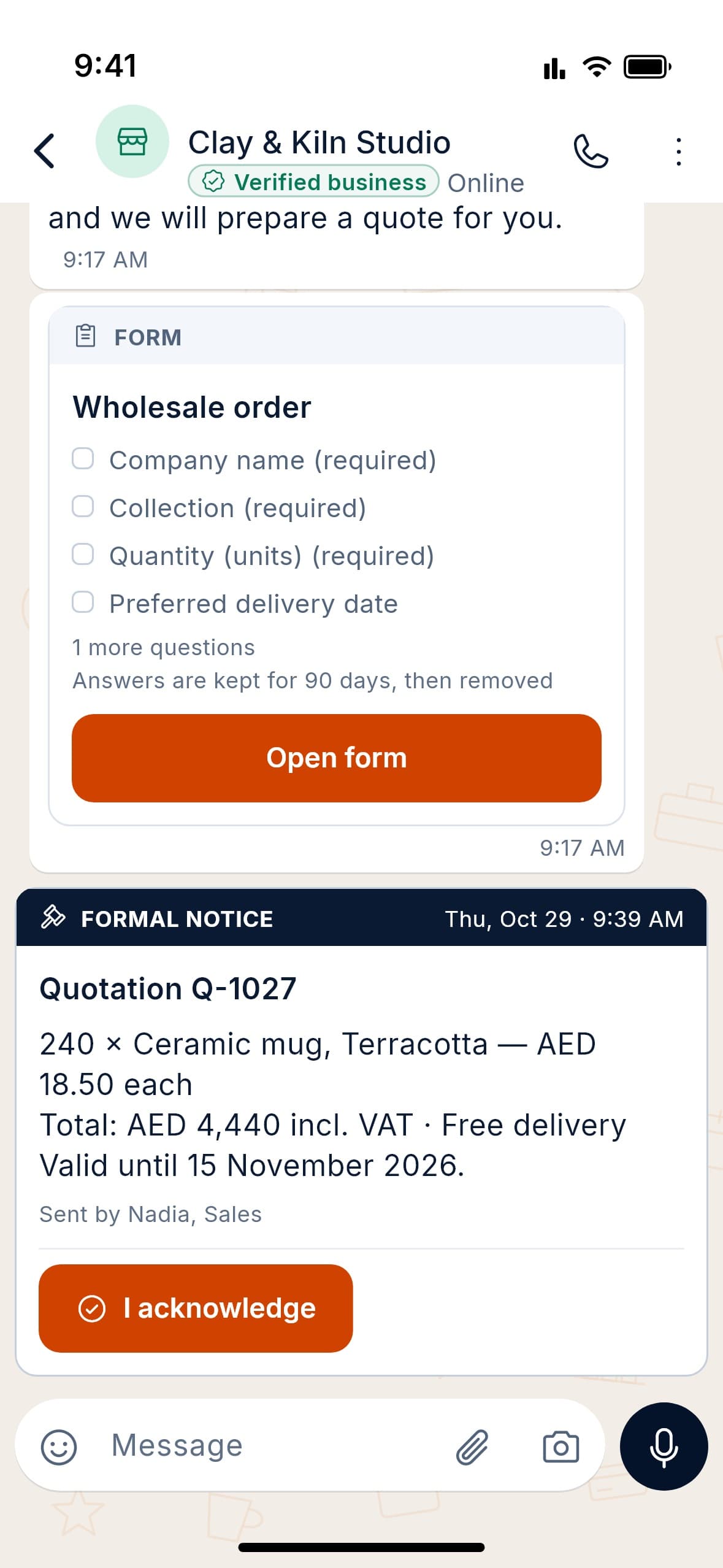
  • A chat with Clay & Kiln Studio: an in-chat wholesale order form and a formal quotation notice with an I acknowledge button.

    Forms and formal notices

    Collect order details in the chat, and ask for an acknowledgement.
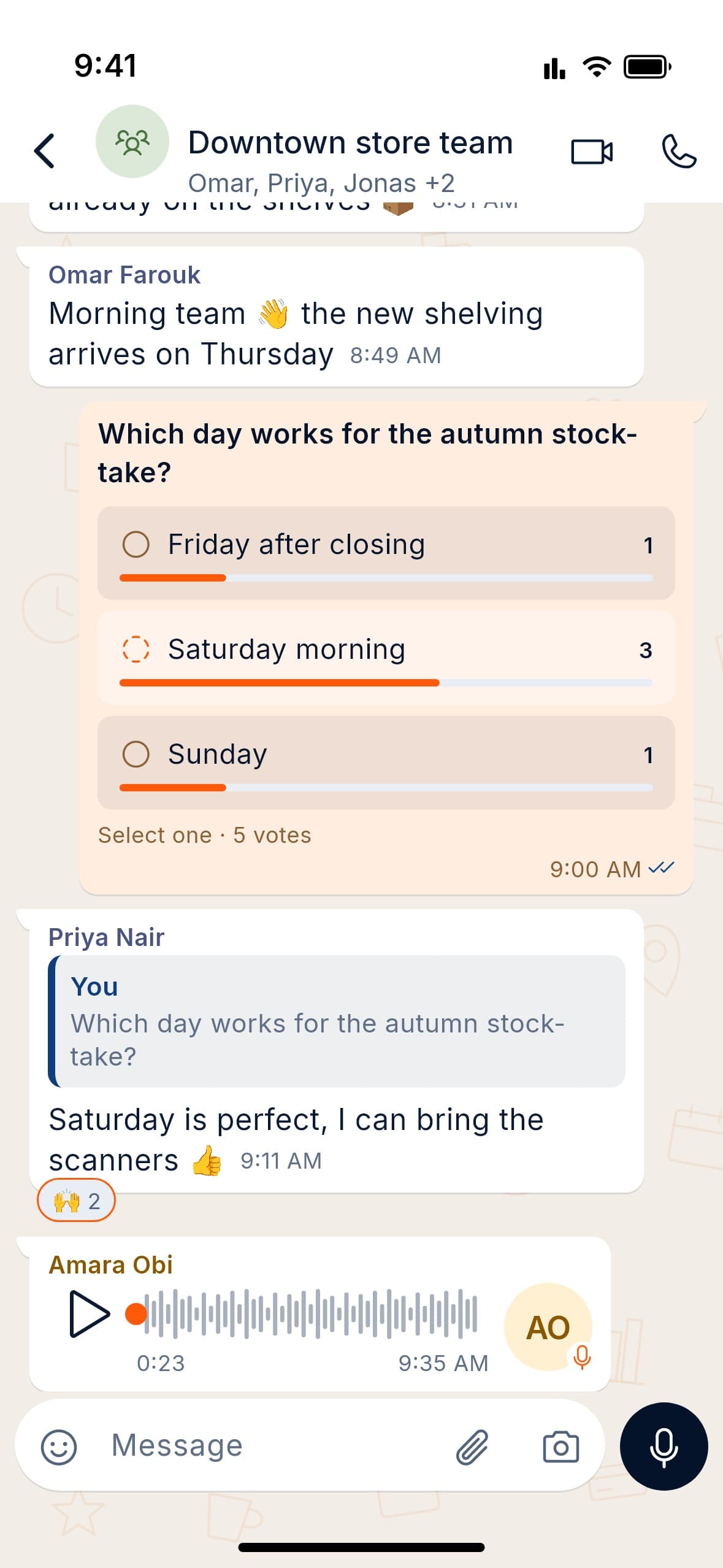
  • The Downtown store team group chat with a poll on which day suits the stock-take, replies and a voice note.

    Groups and polls

    Plan with your team and see the votes add up.
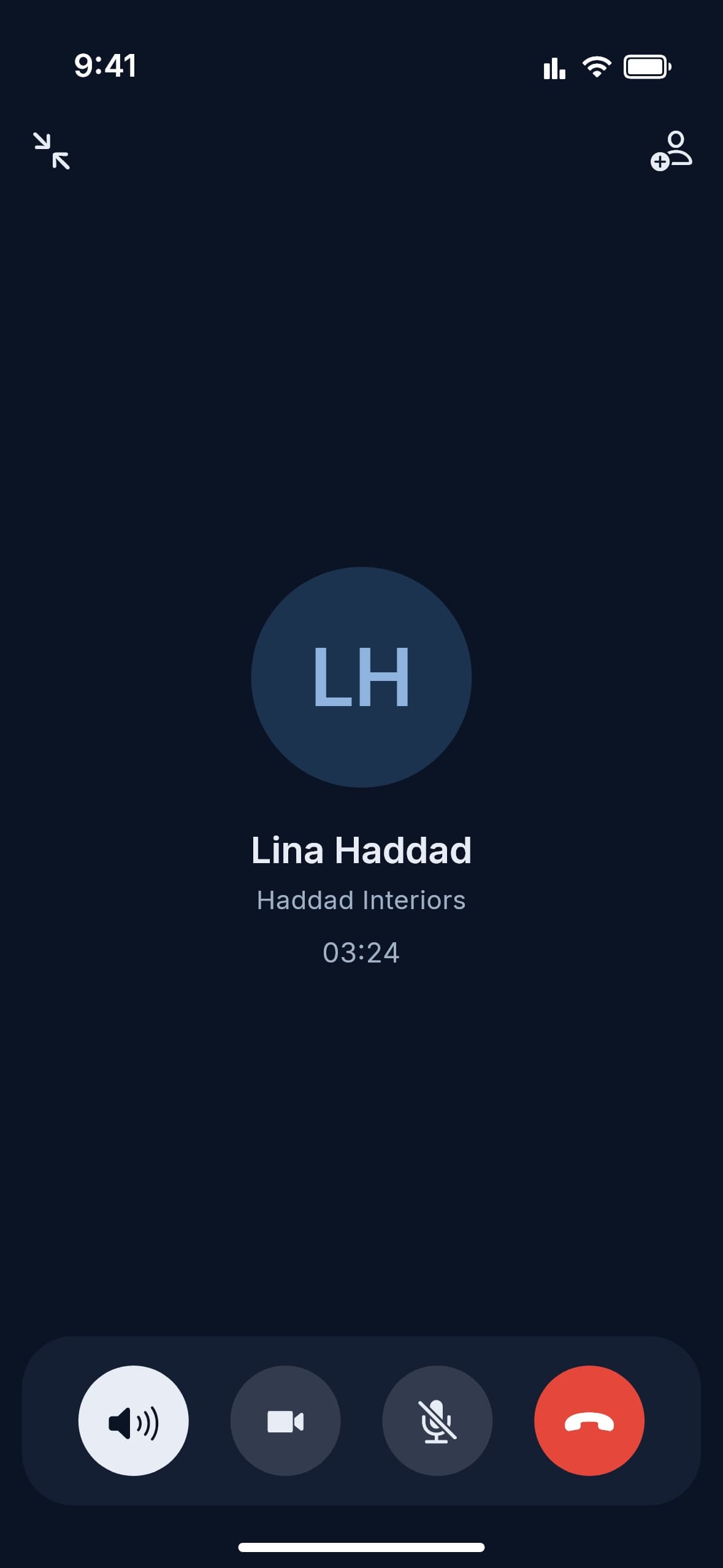
  • A voice call with Lina Haddad of Haddad Interiors, with speaker, video, mute and end buttons.

    Voice and video calls

    Switch to video or share your screen mid-call.
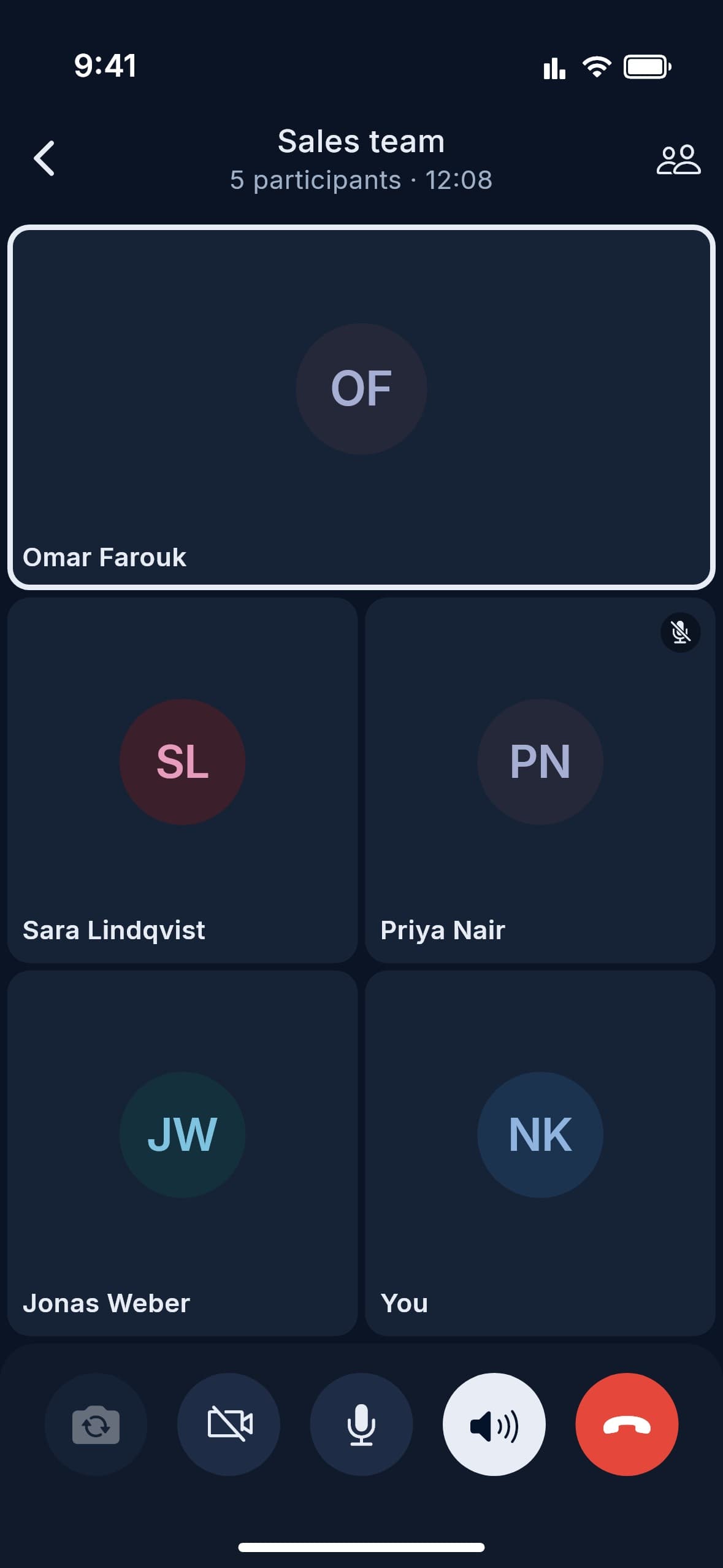
  • A Sales team group call with five participants shown as tiles.

    Group calls

    Bring the whole team into one call.

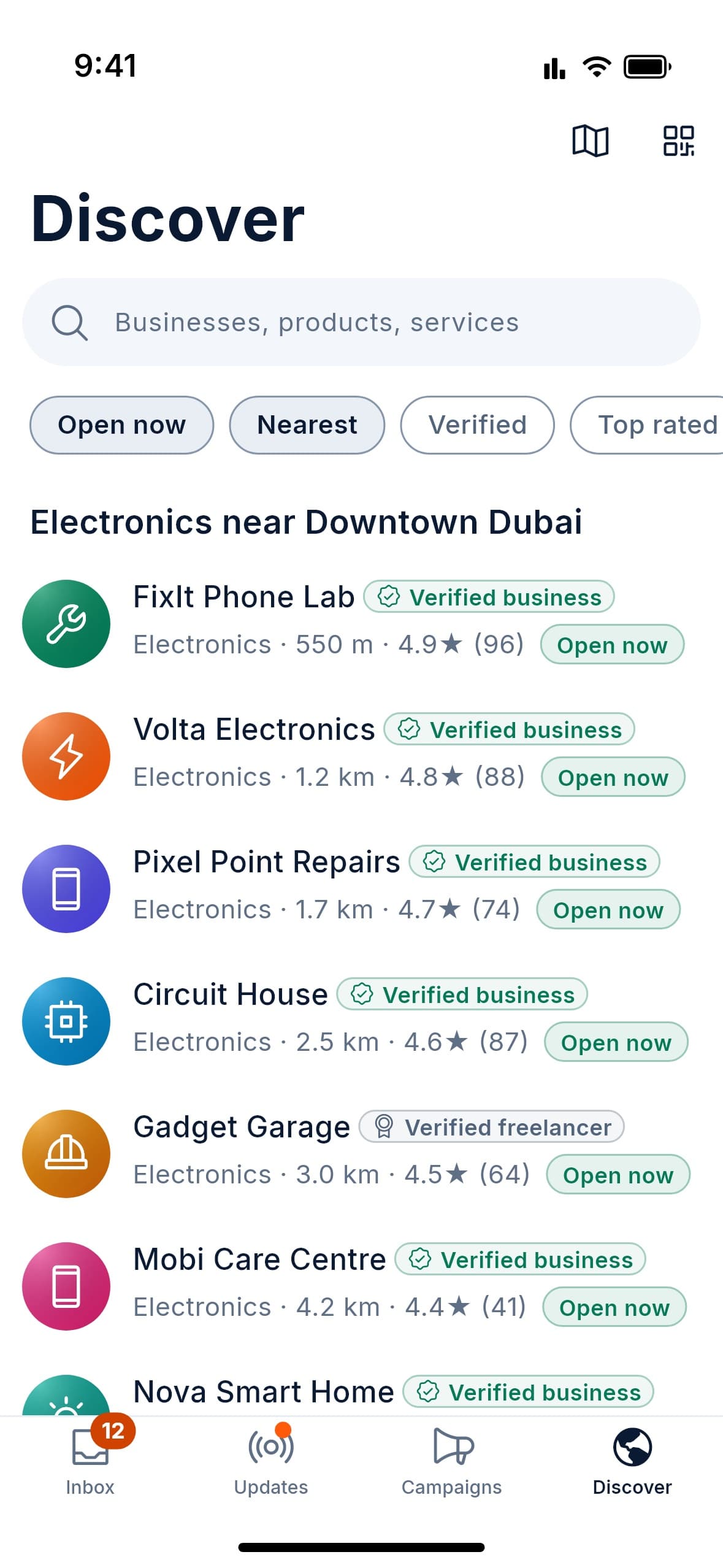
  • The Discover tab listing electronics shops near Downtown Dubai with verified badges, distance, rating and open-now status.

    Find businesses nearby

    Filter by open now, distance, verified or rating.
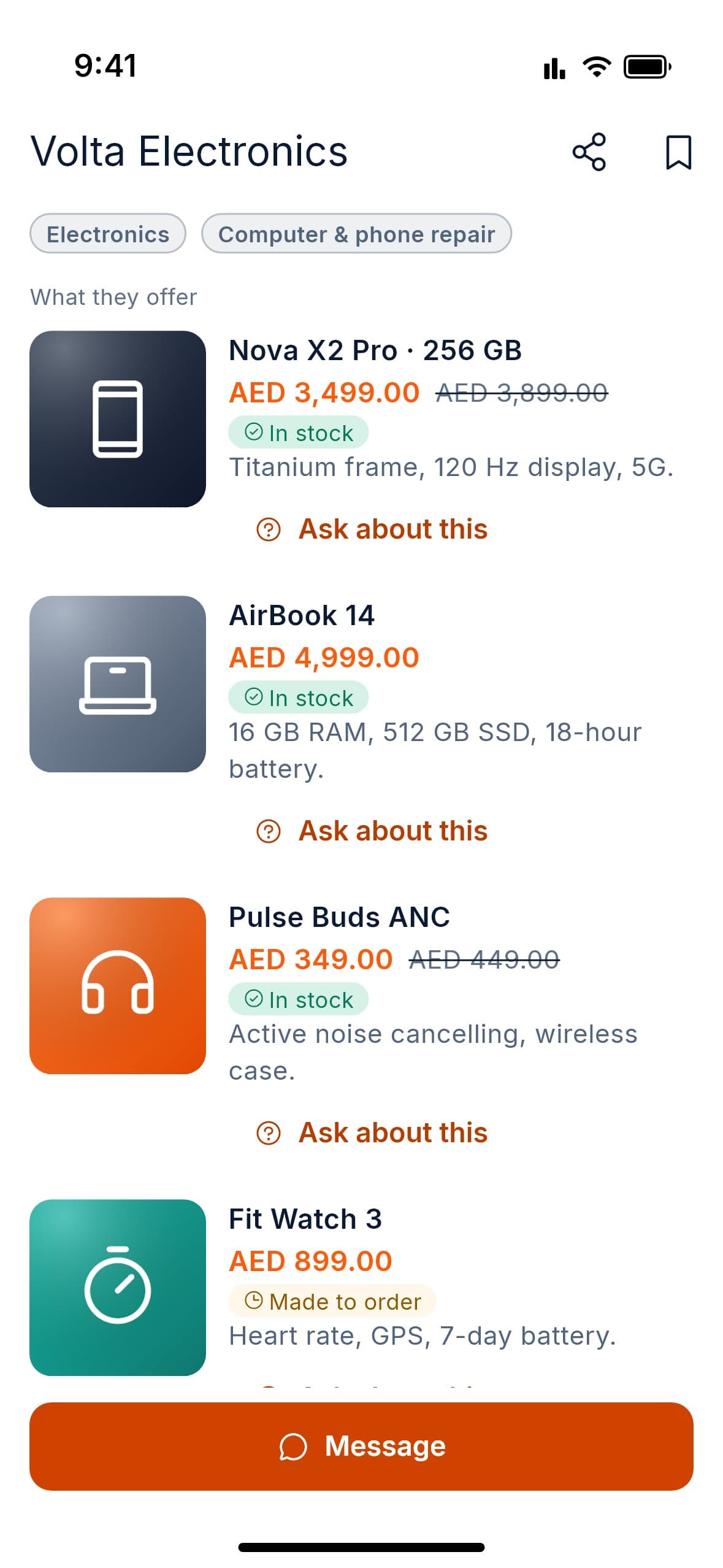
  • The Volta Electronics catalogue: a phone, a laptop, earbuds and a watch with prices, stock status and Ask about this links.

    Browse the catalogue

    Prices, sale prices and stock, with one tap to ask about an item.
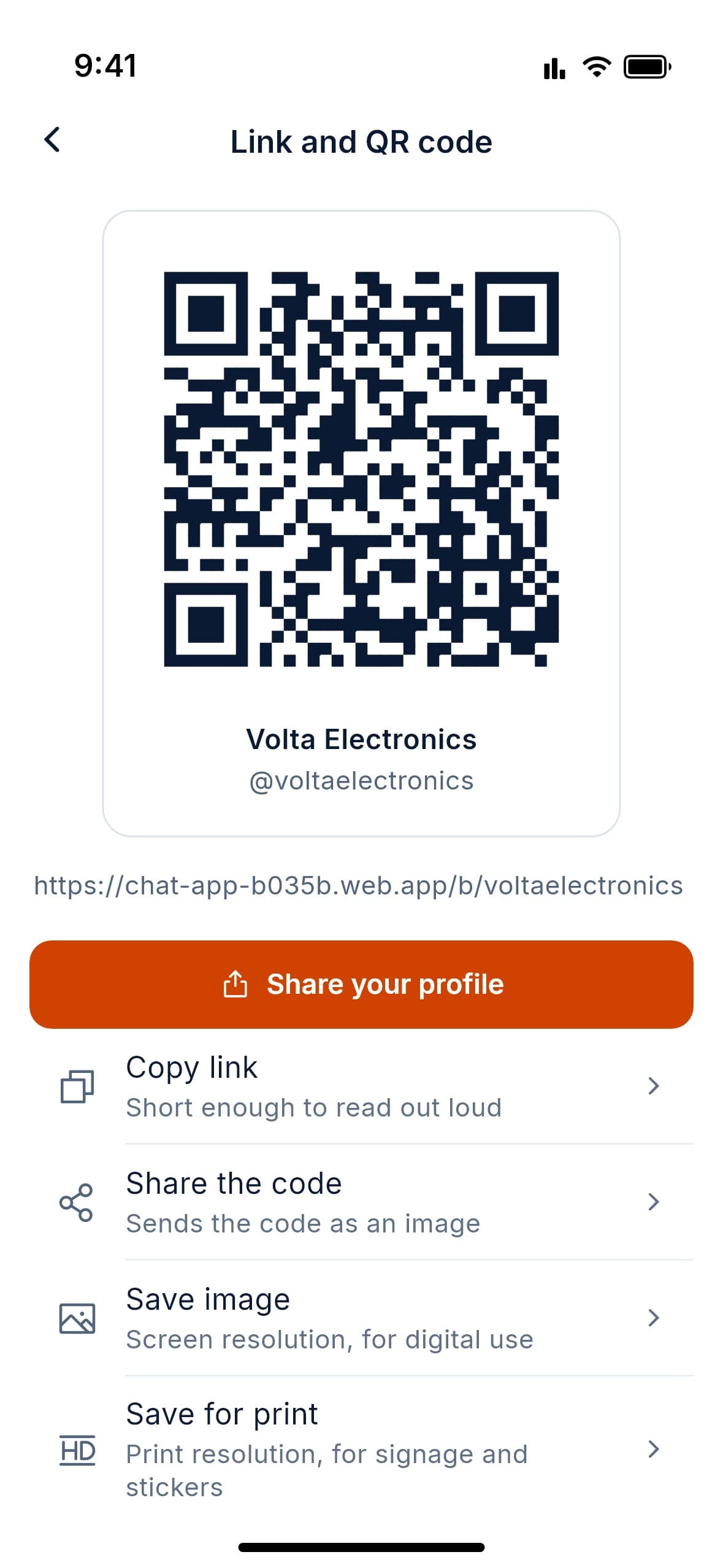
  • The Link and QR code screen for Volta Electronics with share, copy link, share the code, save image and save for print options.

    Your link and QR code

    Share it, or print it for your shop window.
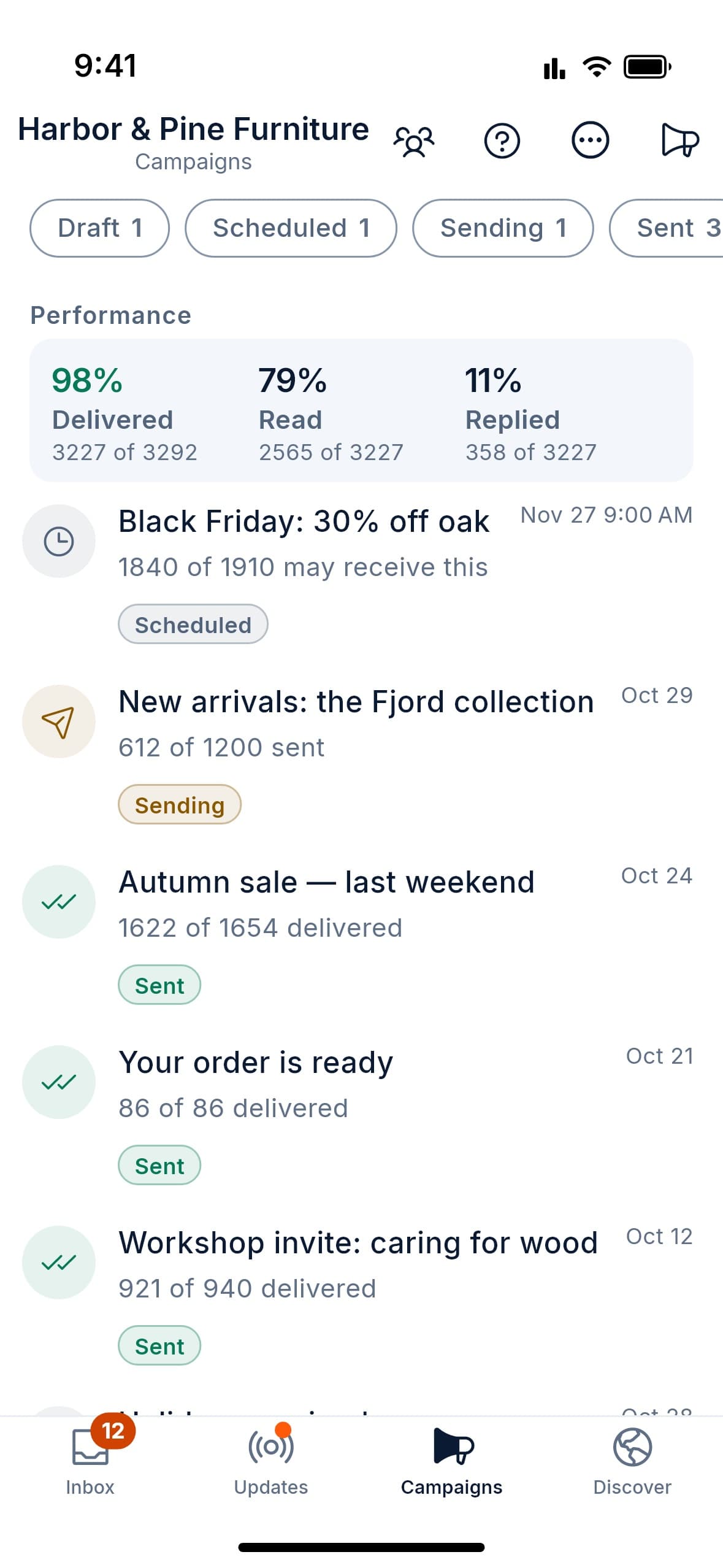
  • The Campaigns tab for Harbor & Pine Furniture: delivered, read and replied rates, and scheduled, sending and sent campaigns.

    Broadcast campaigns

    Schedule a send and see who it reached and who read it.
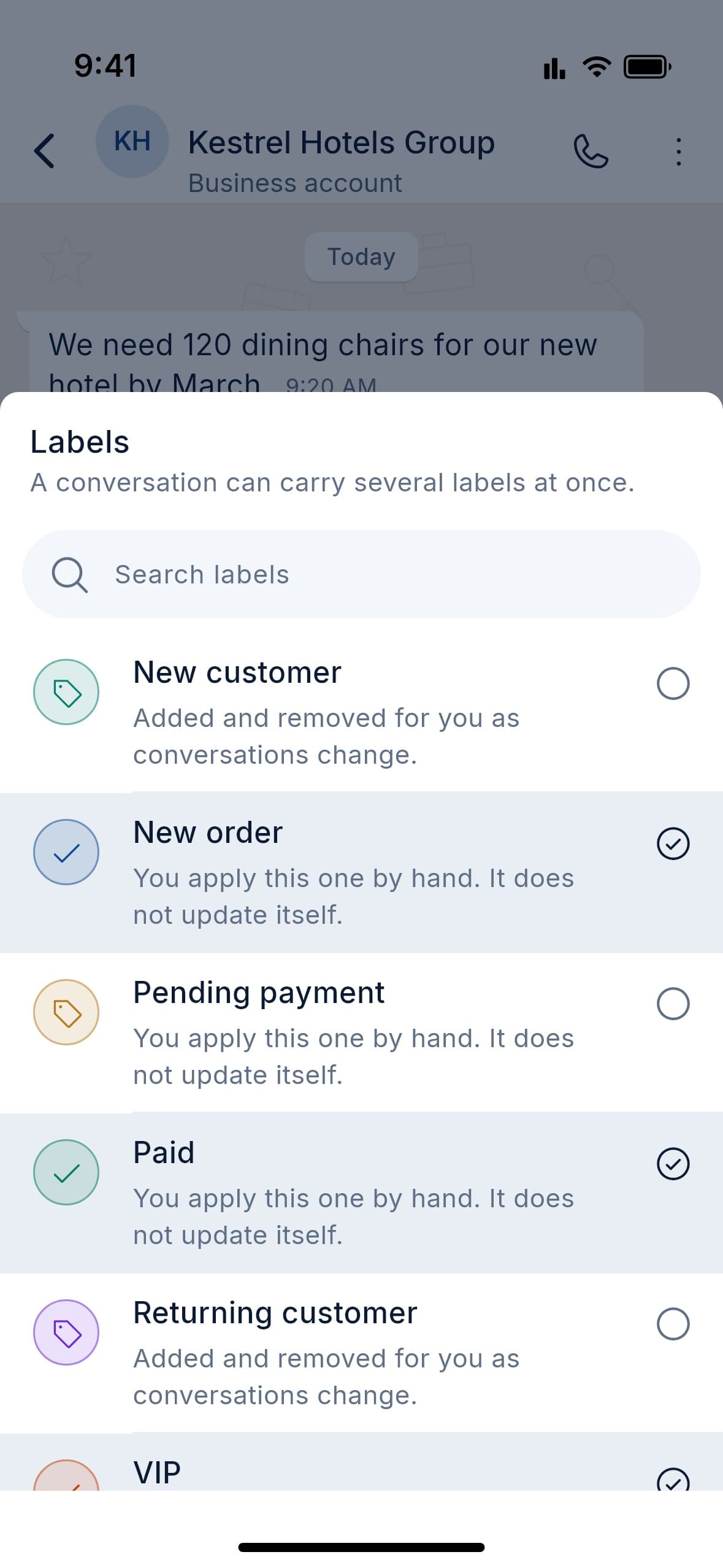
  • The Labels sheet on a chat with Kestrel Hotels Group, with New order, Paid and VIP selected.

    Labels

    Several per chat. Some you set, some update themselves.
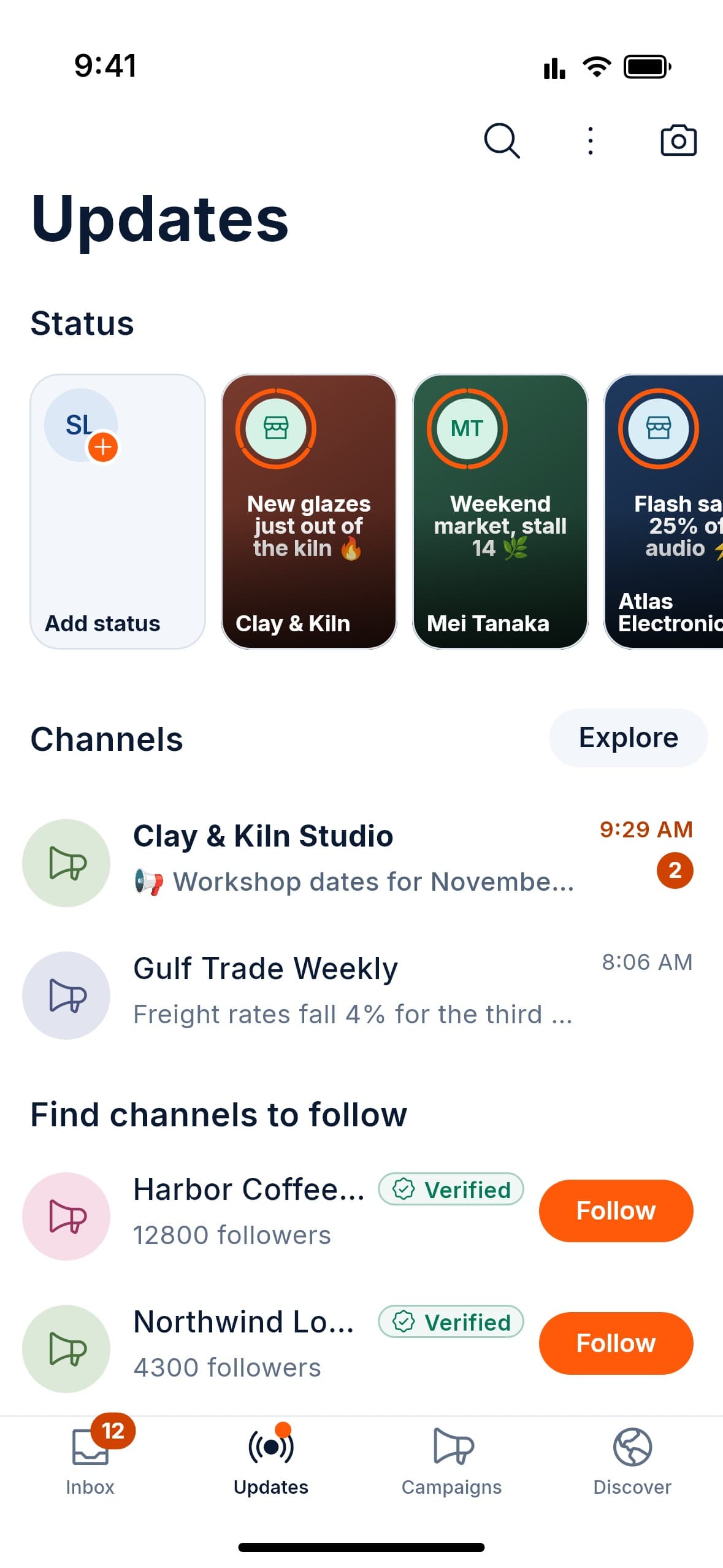
  • The Updates tab with status posts from businesses and contacts, followed channels and channels to follow.

    Status and channels

    Post what is new, and follow the businesses you like.
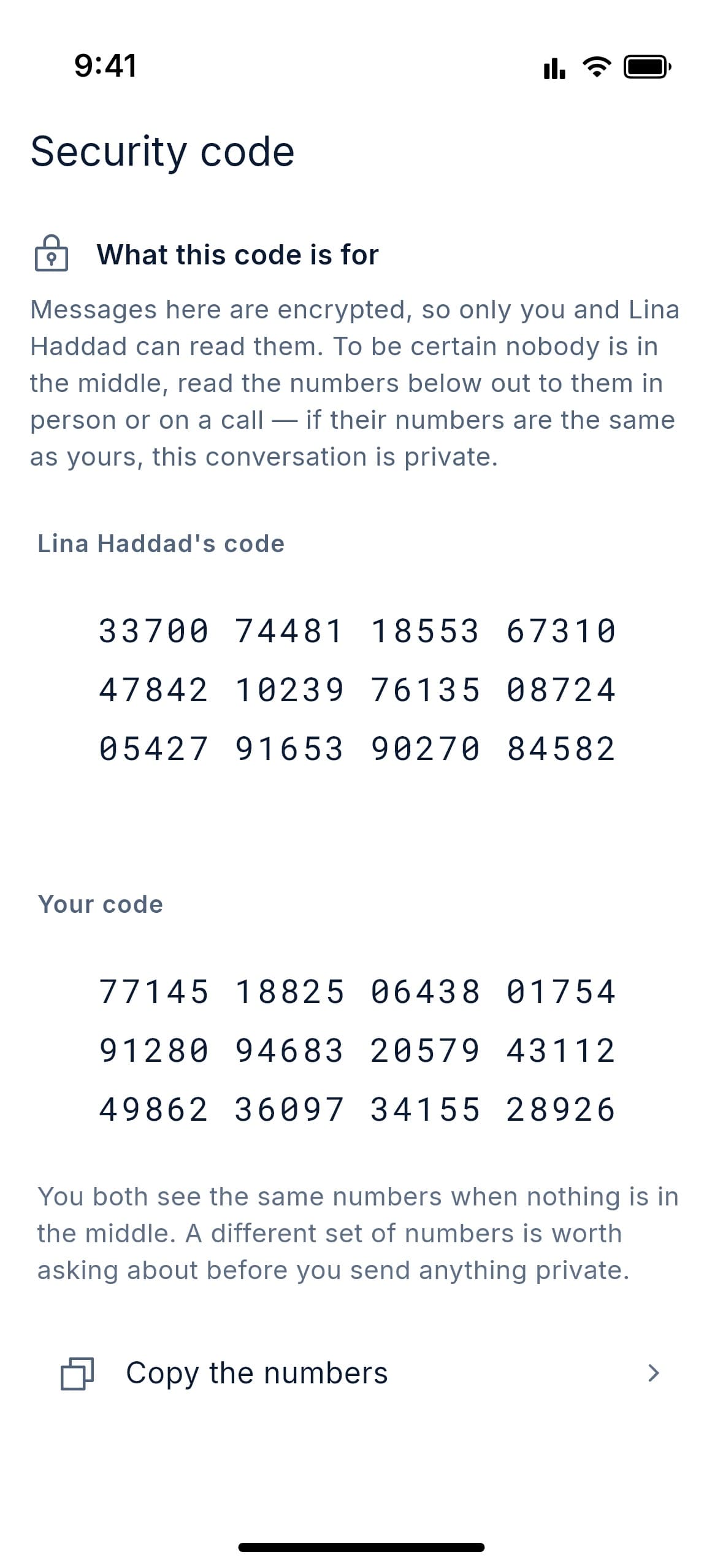
  • The Security code screen for a chat with Lina Haddad, showing both people’s numbers to compare.

    Check your encryption

    In a personal chat, compare security codes to check no one is in the middle.
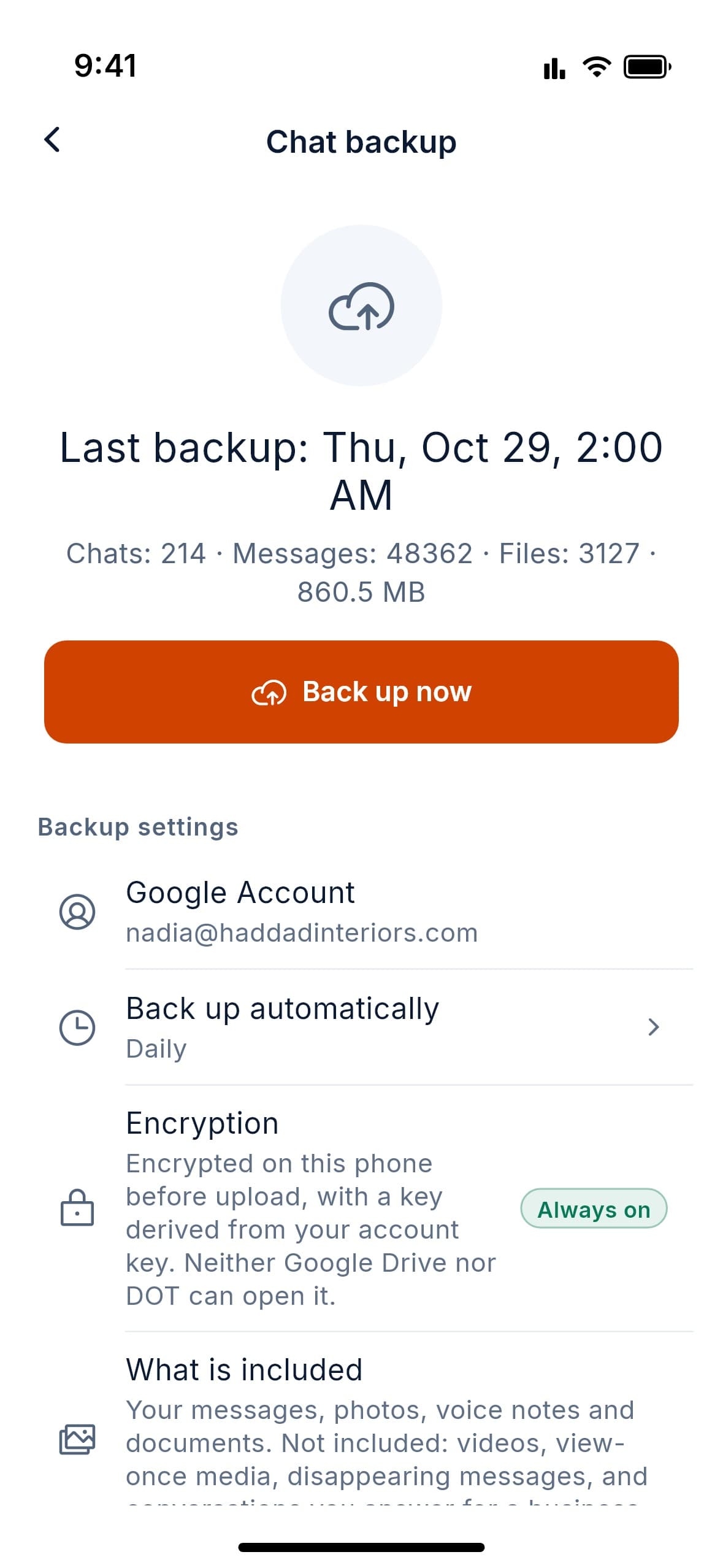
  • The Chat backup screen: last backup time, a Back up now button, daily automatic backups and encryption that is always on.

    Encrypted backups

    Optional. Locked on your phone, then saved to your own Google Drive or iCloud.

On the web

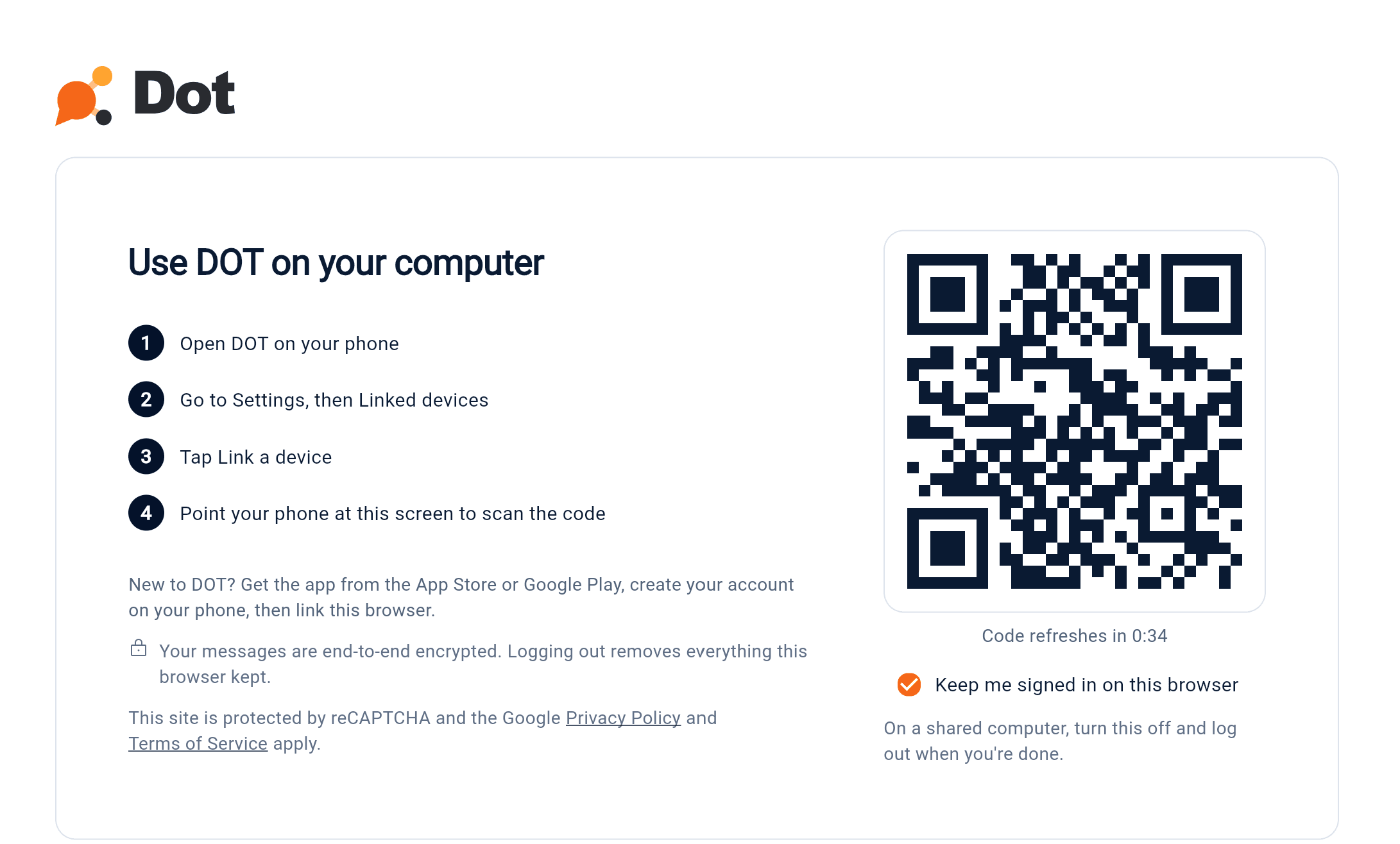
Scan a code. Your inbox is on your computer.

DOT runs in your browser, linked to the app on your phone. Answer customers from a full keyboard and a bigger screen, alongside the phone in your pocket.
  • Personal chats and your business inbox in one window
  • Light and dark mode
  • Messages you open are kept in memory only, and are gone when you close the tab or log out
  • On a shared computer, turn off Keep me signed in and log out when you’re done
The Use DOT on your computer screen: four steps for linking from your phone, a QR code that refreshes, and a Keep me signed in on this browser option.
  1. Open DOT in your browser

    On any computer, with nothing to install. A code appears on the screen.

  2. Scan it with your phone

    In the DOT app, go to Settings, then Linked devices, and tap Link a device. Point your phone at the code.

  3. Carry on working

    Your chats and your business inbox are there, on a bigger screen.

New to DOT? Create your account in the app on your phone, then link your browser.
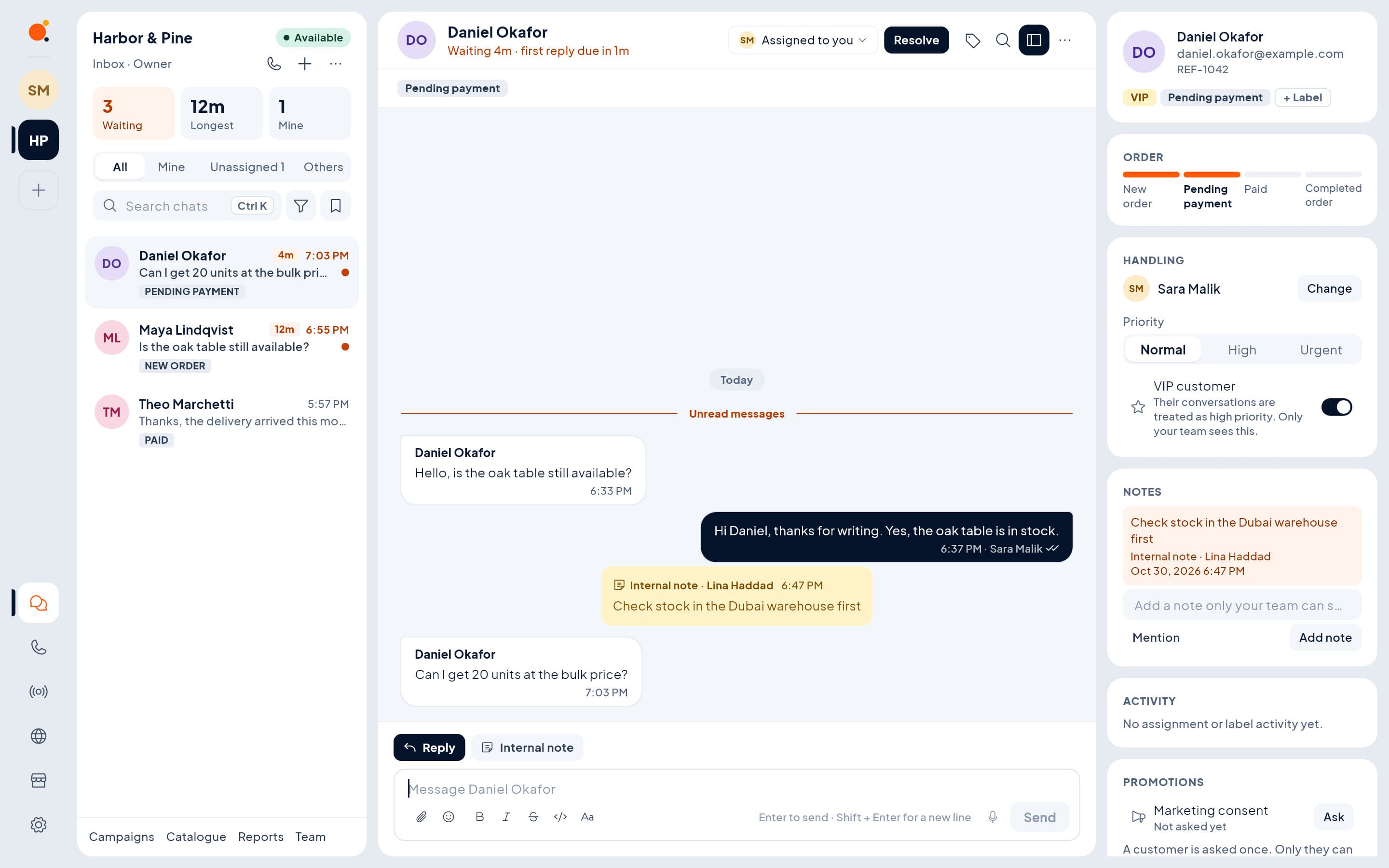
DOT in a browser showing the Harbor & Pine team inbox: a queue of three customers, an open chat with an internal note, and a side panel with order stage, handling and notes.
Work the shared queue with the customer’s order, notes and handling beside the chat.
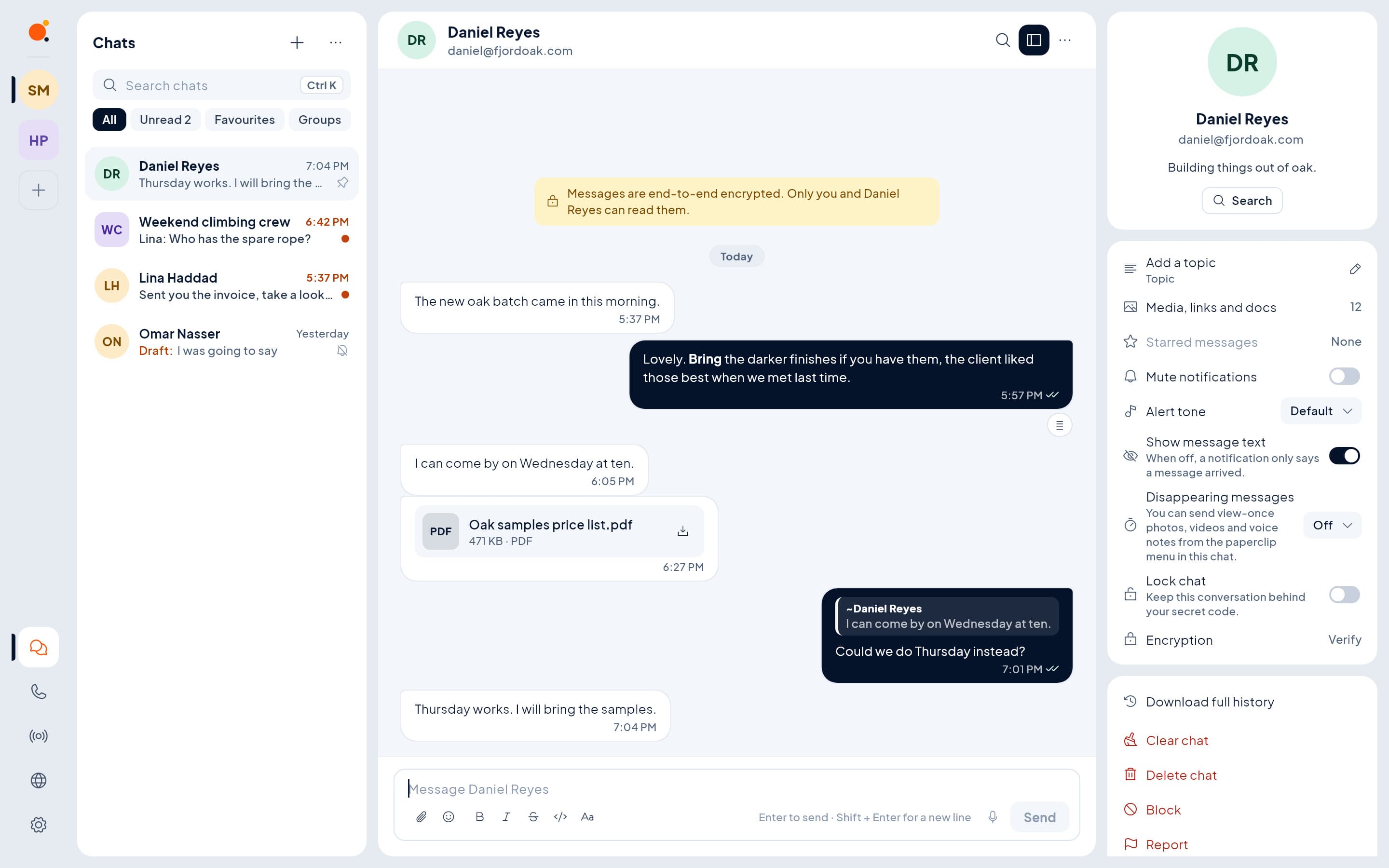
DOT in a browser showing a personal chat with Daniel Reyes: an end-to-end encryption notice, messages and a PDF, and a side panel with mute, disappearing messages and chat lock.
Your personal chats stay separate from work, one click away.
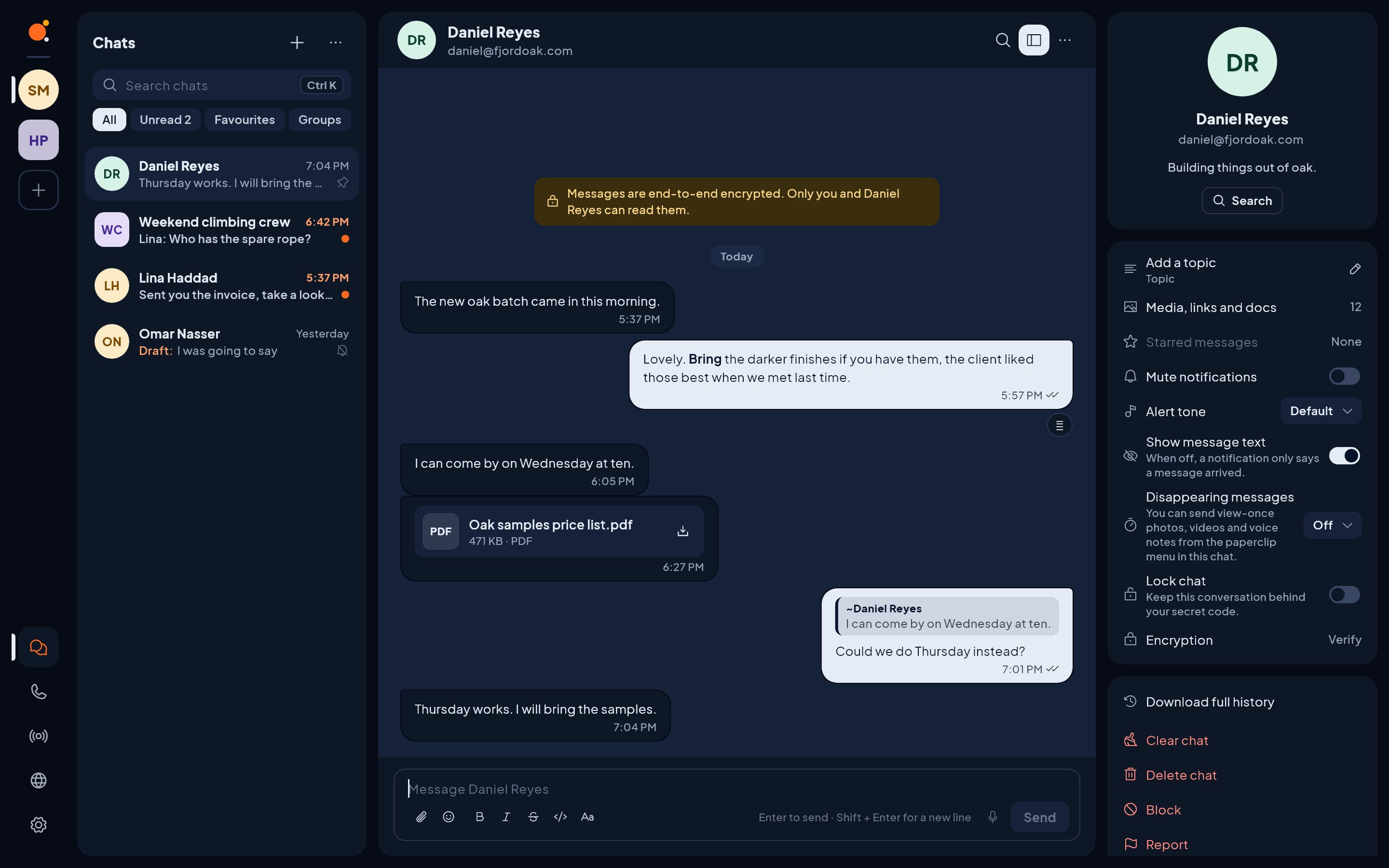
The same personal chat with Daniel Reyes in DOT’s dark theme.
The same DOT, easier on the eyes after dark.
Privacy & Security

Private by design, secure by default.

End-to-end encrypted. Messages are sealed on the device, and DOT's servers store them in a form they cannot read. Two-step verification is mandatory for business owners.

  • Sealed on your phone
  • Unreadable on our servers
  • Keys stay on your devices
YouCustomer•8f#k2…q@7•x9…DOT servercan't read it
  • Two-step verification

    A second check at sign-in. Mandatory for business owners, so a stolen password alone can't take over your business.

  • Alerts for new devices

    Get notified when your account signs in somewhere new or its security settings change.

  • Disappearing messages & view-once media

    Let chats clear themselves on a timer, or send a photo that can only be opened once.

  • Chat lock & privacy controls

    Lock sensitive chats and decide who can see your details.

  • Block & report

    Stop unwanted contacts in a tap and flag abuse for review.

  • Data export & account deletion

    Take a copy of your data at any time, or delete your account. Deletion reaches our systems and backups within 30 days.

  • Encryption in transit & at rest

    Data travelling to DOT and stored on its servers is encrypted as well.

Channel updates, Status posts, group calls, group join forms and a business's internal notes and team chats are not end-to-end encrypted, and our servers can still see who talks to whom and when. See what is sealed, what is not, and the limits

All features

Everything your business needs to chat

500+ features built across 18 product areas. Here is the complete list, grouped into twelve areas, and every one of them is included.

  • 01Team Inbox & Staff Operations

    Your whole team, one inbox, zero confusion.

    • Shared inbox with Unassigned, Assigned to me and All views
    • Claim and release; manual and automatic assignment
    • Departments and routing rules that decide who answers
    • Live “colleague is viewing / typing” indicators
    • Internal notes and @mentions customers never see
    • Internal team messaging
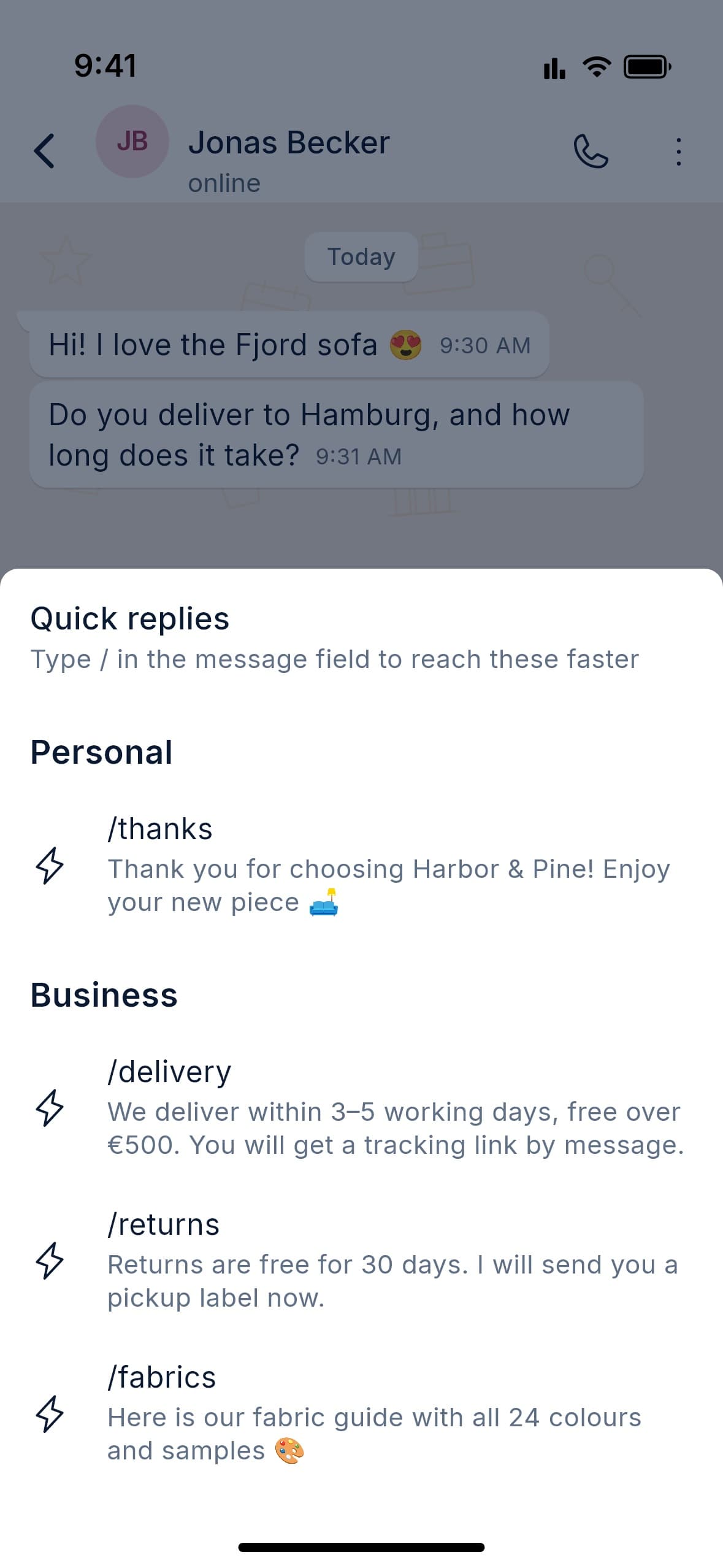
    • Availability, working hours, time off and workload caps
    • Personal and shared saved replies
    • Bulk select and bulk assign; close and reopen
    • Supervisor view of every live conversation
  • 02Performance & Analytics

    Know how fast you answer, and how well.

    • First response and resolution time, per person and per business
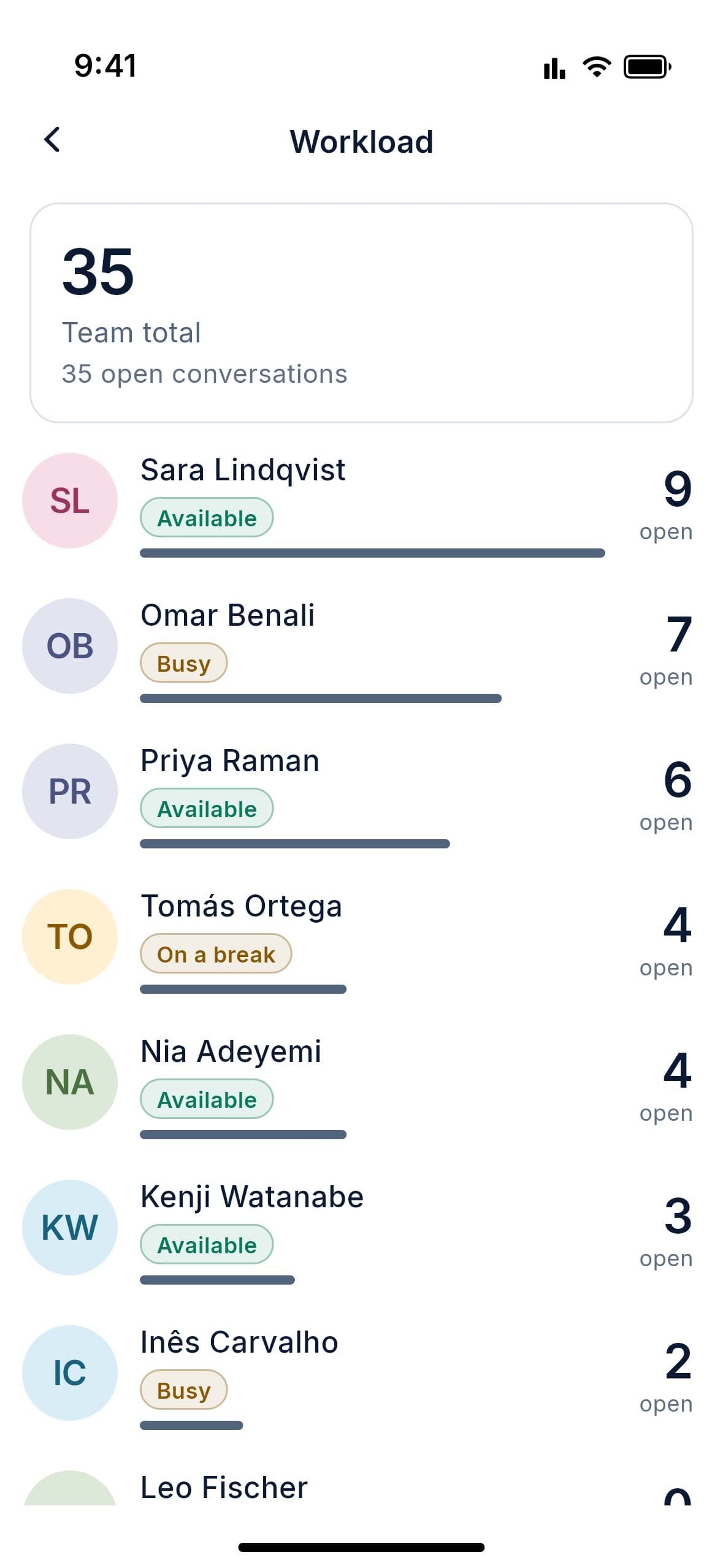
    • Workload per team member
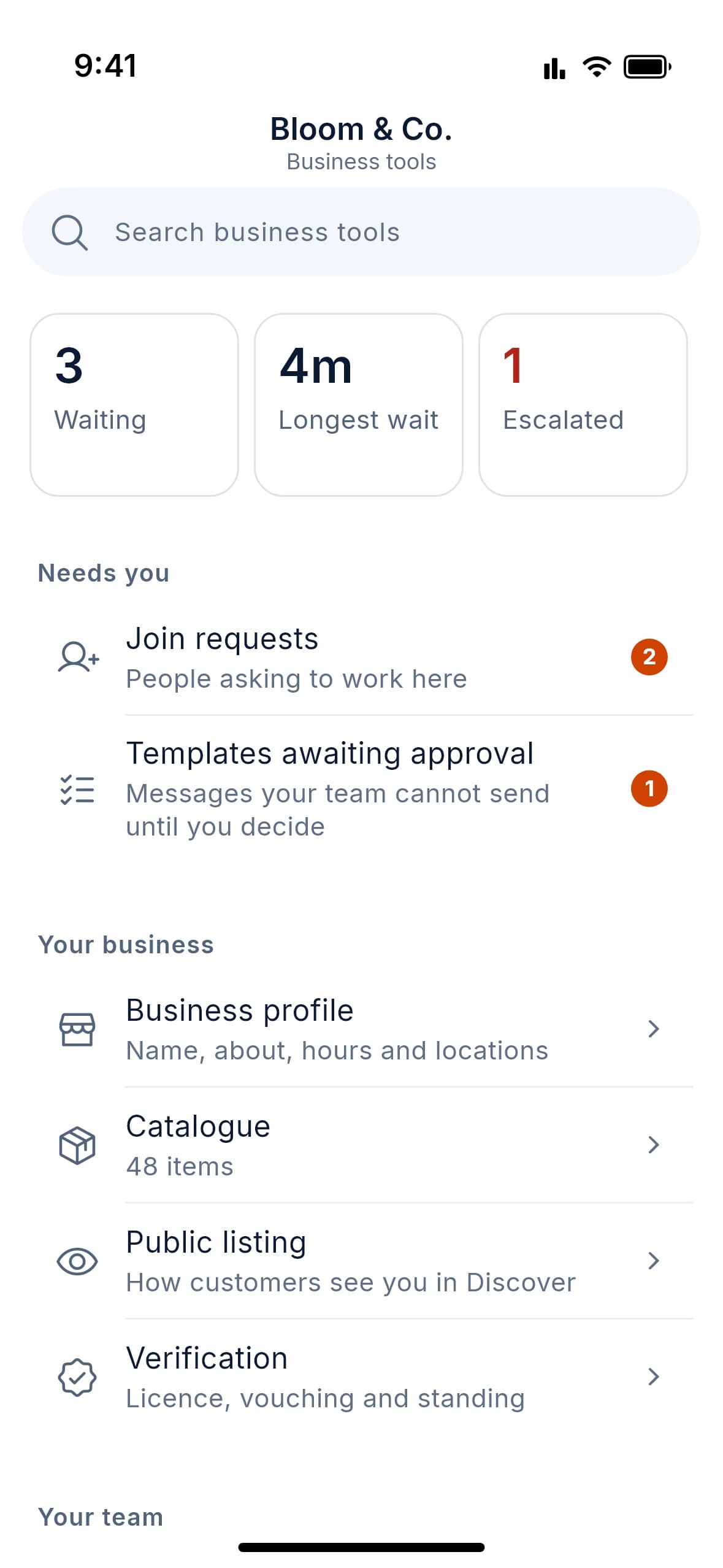
    • Daily inbox dashboard and live queue health
    • SLA targets and escalation when customers wait too long
    • Optional after-chat service rating (out of five)
    • Directory profile views and new enquiries (counts only)
  • 03Ownership & Continuity

    Staff change. Your customer history doesn’t.

    • Every customer conversation belongs to the business
    • Each message shows which employee wrote it
    • One-step offboarding: access cut, chats back in the queue
    • Owner archive of all conversations, with access audit log
    • Export one conversation or the whole archive
    • Ownership transfer, retention policy and legal hold
  • 04Verification & Team Roles

    Trust that is earned, not bought.

    • Trade licence upload with human review
    • Green owner, blue employee and grey freelancer badges
    • Licence expiry tracking with advance warnings
    • Invite employees by link or approve join requests
    • Per-employee permissions, role changes, suspension, removal
    • One login, many roles, with full separation between them
  • 05Business Profile & Presence

    A storefront customers can find, share and trust.

    • Logo, description, main category plus up to four more
    • Map location, multiple branches, hours, holidays, timezones
    • Product catalogue with photos, prices and sale prices
    • Public web profile with a “Message us” button, search-indexable
    • Public, unlisted or private visibility
    • Unique @username link and printable QR code
  • 06Discovery & Directory

    Get found by customers looking right now.

    • Search by name, category or keyword, tolerant of typos
    • Near-me search, map view, distance sort, open-now filter
    • Category browsing and a verified-only filter
    • Discover home: featured, newest and explained suggestions
    • Freelancer directory with skills and portfolio
    • Verified-customer reviews only
    • Free, clearly labelled promotion slots
  • 07Customer Organisation (CRM)

    Keep every customer in the right place.

    • Coloured labels and custom lists, several per chat
    • Built-in new and returning customer lists
    • Order-stage lists you manage by hand
    • Filters: unread, mine, unassigned, groups, favourites
    • Saved filter views and label history
  • 08Automation & Marketing

    Reply instantly, reach everyone, stay compliant.

    • Greetings for new and returning customers
    • Scheduled, after-hours or always-on away messages
    • Away replies pause automatically when staff are online
    • Broadcasts with merge fields, an image and quick-reply buttons
    • Drafts, scheduled sending and delivery reports
    • Built-in opt-in and opt-out; no consent, no send
  • 09Channels & Status

    Publish to followers. Share what’s new.

    • One-way channels: text, images, audio, links and polls
    • Scheduled updates and multiple admins
    • Views, reach, growth, reactions and poll analytics
    • Follower privacy: admins never see who follows or views
    • Status posts that disappear after 6 to 48 hours
  • 10Messaging & Calls

    Everything customers expect from modern chat.

    • Text, photos, documents, voice notes, location, contacts
    • Formatting, replies, reactions, forwarding, edit and delete
    • Topics, reference numbers, in-chat forms and templates
    • Formal notices and acknowledgement requests
    • Groups with admins, join links and polls
    • Voice and video calls, group calls, screen sharing
    • Pin, archive, mute, star and search everything
  • 11Privacy & Security

    Private by design, secure by default.

    • End-to-end encrypted messages
    • Encryption in transit and at rest
    • Two-step verification, mandatory for owners
    • Security alerts for new devices and account changes
    • Disappearing messages and view-once media
    • Chat lock, privacy controls, block and report
    • Data export and full account deletion
  • 12Devices, Backup & Platform

    Works on every phone, keeps working offline.

    • Android and iOS apps, plus a web version
    • Linked devices, session management, history sync
    • Encrypted backup and restore
    • English and Arabic with right-to-left layout
    • Offline-tolerant delivery and accessibility support
    • Moderation and trust-and-safety tools behind the scenes
How it works

Up and running in three steps.

Set up your business, get verified and bring your team in. Then start answering your customers together.

  1. Create your business

    Add your name, logo, category, location and hours.

  2. Get verified

    Upload your trade licence. Once approved, you get the badge and appear in the directory.

  3. Invite your team

    Share an invite link, set roles and start answering customers together.

Coming soon to Android, iOS and the web. Free to start.

Pricing

One plan. Everything in it.

No tiers to compare and no features held back. Set up your business and start answering your customers.

Every feature included

Free

DOT is free while we launch, with every feature included.

What you get

  • Shared team inbox for your whole team
  • Verified business profile and directory listing
  • End-to-end encrypted messaging
  • Broadcasts, channels and Status
  • Performance analytics and service ratings

…plus every other feature in the app, for your whole team.

Get notified at launch

Some advanced features may become part of a paid plan in the future, and we will tell you well in advance.

FAQ

Questions, answered.

The short version of what DOT does, what it costs and what happens at launch.

Still have a question?

Email us at support@chat-dot.com, or leave your email and we’ll let you know the moment DOT launches.

Get notified at launch
  • Is DOT free?

    Yes. DOT is free to use right now. Some advanced features may become paid in the future, and existing users will be told in advance.

  • When can I download DOT?

    DOT is coming soon to the App Store and Google Play. Leave your email to be notified at launch.

  • Is there a web version?

    Yes. As well as the Android and iOS apps, DOT has a web version you open in your browser, with nothing to install. Scan a code with the app on your phone to link it, and you can link more than one device.

  • Are messages private?

    Messages are end-to-end encrypted: sealed on your device, unreadable by our servers. In a chat with a business, its staff are at the other end and can read it. Channel updates, Status posts, group calls, group join forms and a business’s internal notes and team chats are not end-to-end encrypted, and our servers can still see who talks to whom and when. Our encryption page at chat-dot.com/encryption lists all of it, including the limits.

  • What if I lose my phone?

    Approve your new phone from one that is already signed in, or enter your 64-digit recovery code. Only you hold that code. If you lose it and have no phone left that is signed in, your old messages can never be opened again, by you or by us. Optional backup goes to your own Google Drive or iCloud account, locked so that neither Google, Apple nor we can open it.

  • How does verification work?

    Business owners upload their trade licence and a person reviews it. Employees are approved by the owner, and freelancers are vouched for by verified businesses.

  • What happens when an employee leaves?

    Remove them and their access ends on every device within a minute. Their conversations return to the team, and the customer keeps the full history. They cannot read anything sent after they left, but they keep what they had already read.

  • Can my whole team use one account?

    Each person has their own login, and everyone works inside your business’s shared inbox with the permissions you give them.

  • Do my customers need to pay?

    No. DOT is free for customers. They can find you, message you and follow your channel.

  • Can I message many customers at once?

    Yes, with broadcast campaigns and channels. Customers must opt in first, and they can opt out at any time.

Coming soon to Android, iOS and the web

Business chat, built for your whole team.

Leave your email and we’ll tell you the day DOT launches. Free for you, free for your customers.

One email at launch. No spam.

Coming soonApp StoreComing soonGoogle Play